Academy courses
Create on the canvas
Reference photos, AI notes, editing tools and video clips on one board.
0 of 4 lessons
By the end you will
- Combine reference photos in a new image.
- Plan a series with AI notes and a storyboard.
- Edit, upscale and export a result for social media.
- Turn an image into a clip and chain shots into a story.
Lesson 1 · 6 min
Reference photos
Put your product or character into a new scene.
- 1
Open the canvas
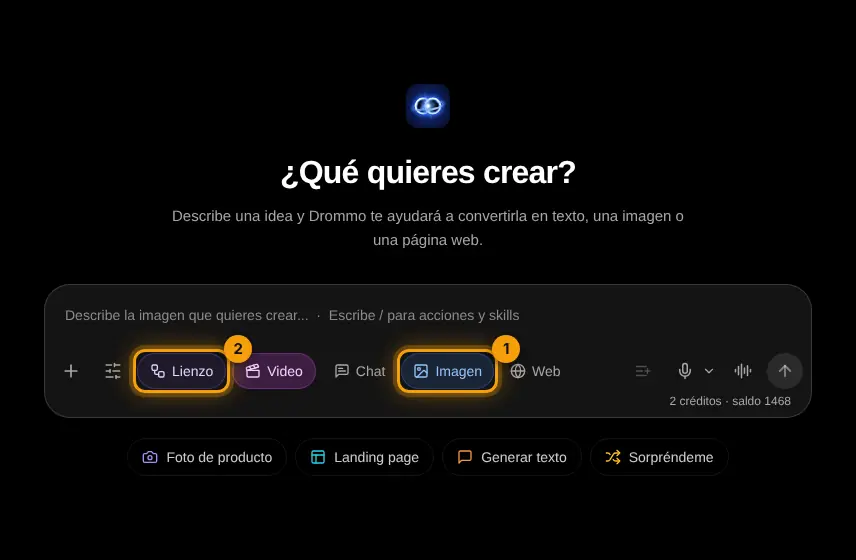
In Image mode (1) tap Canvas (2).
- 2
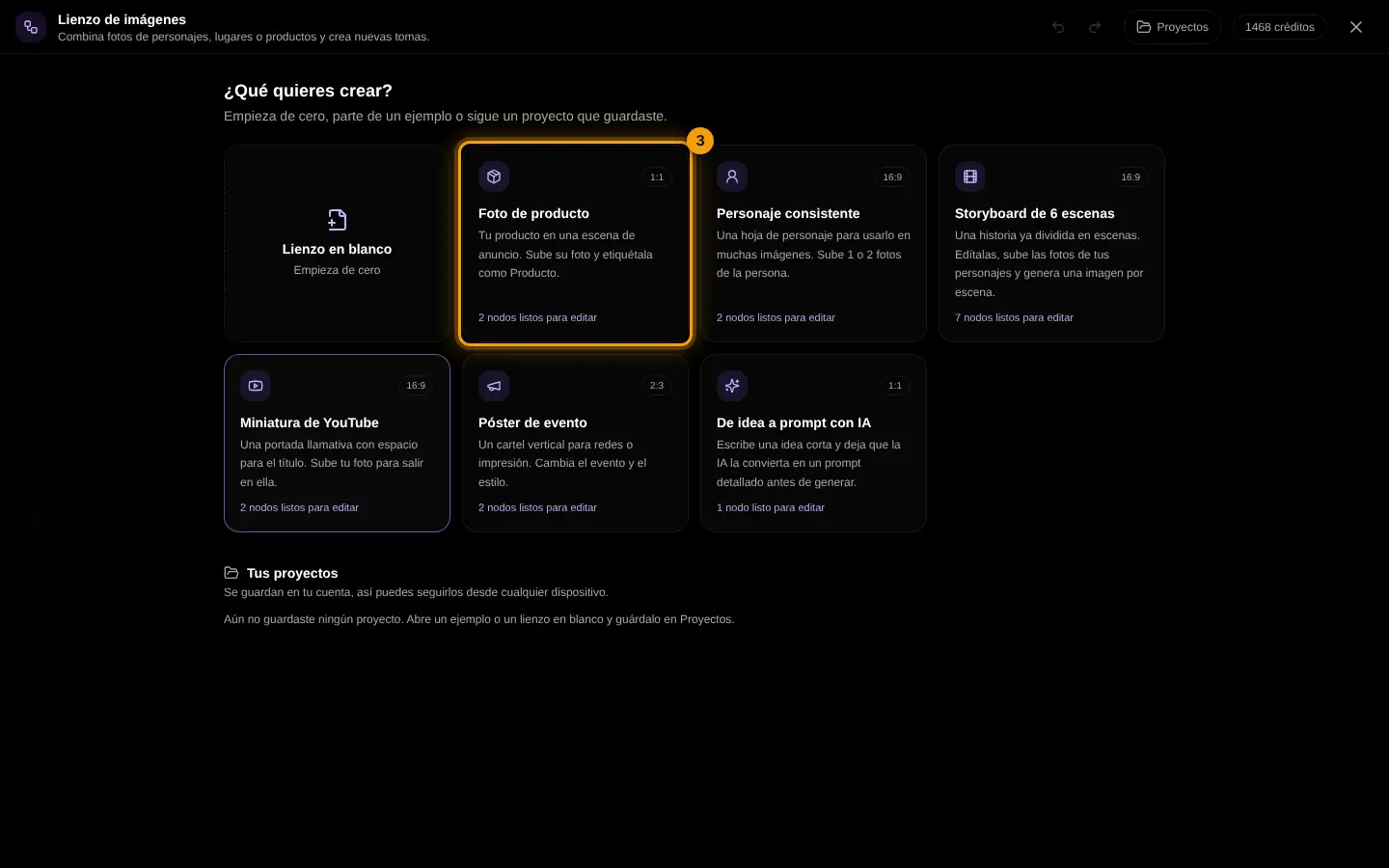
Start blank or from an example
Pick an example like Product photo (3) to start with its notes ready, or a blank canvas.
- 3
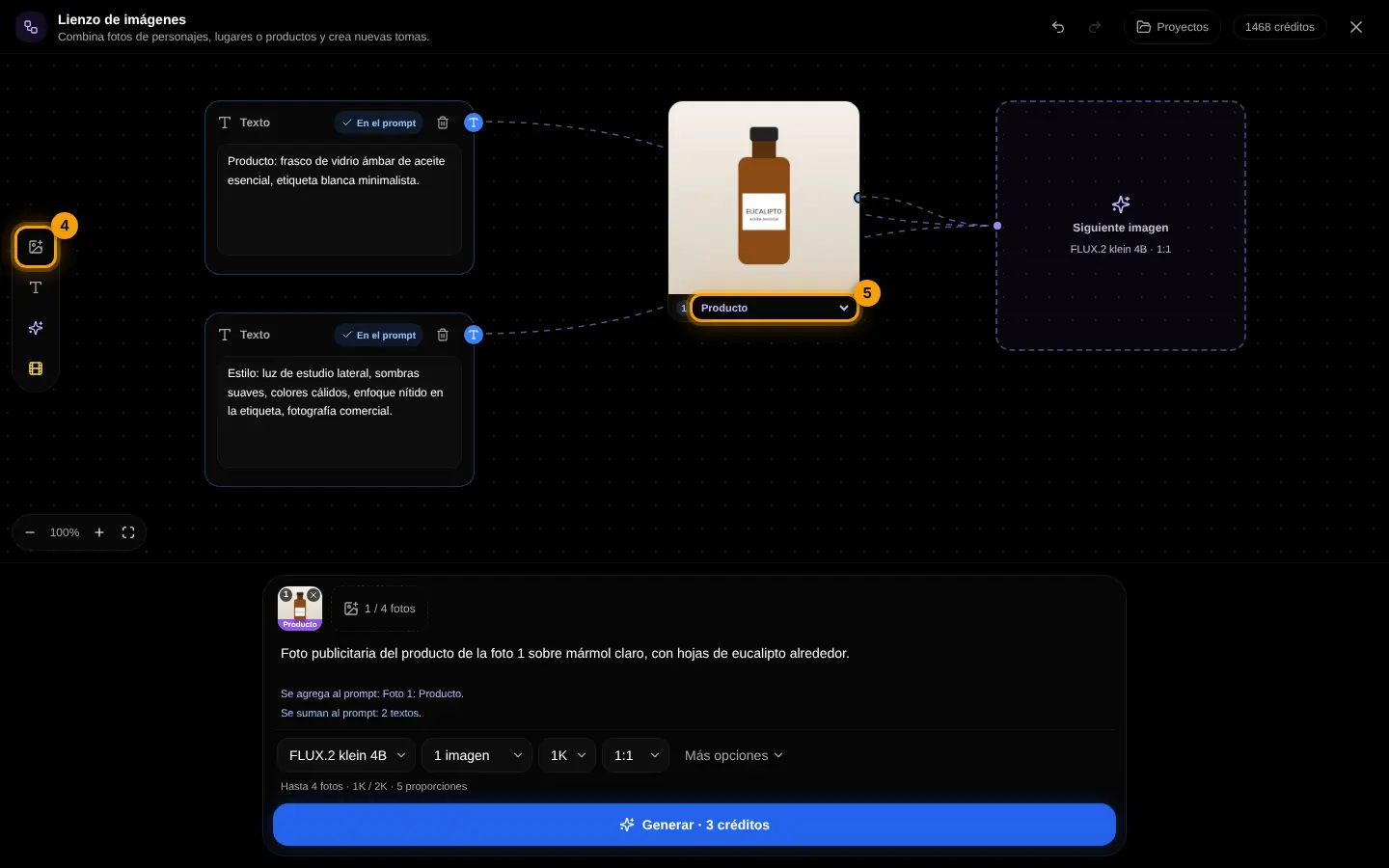
Upload and tag
Add photo (4) uploads your picture; under it, choose its tag (5): product, character, scene or style. The tags go into the prompt.
- 4
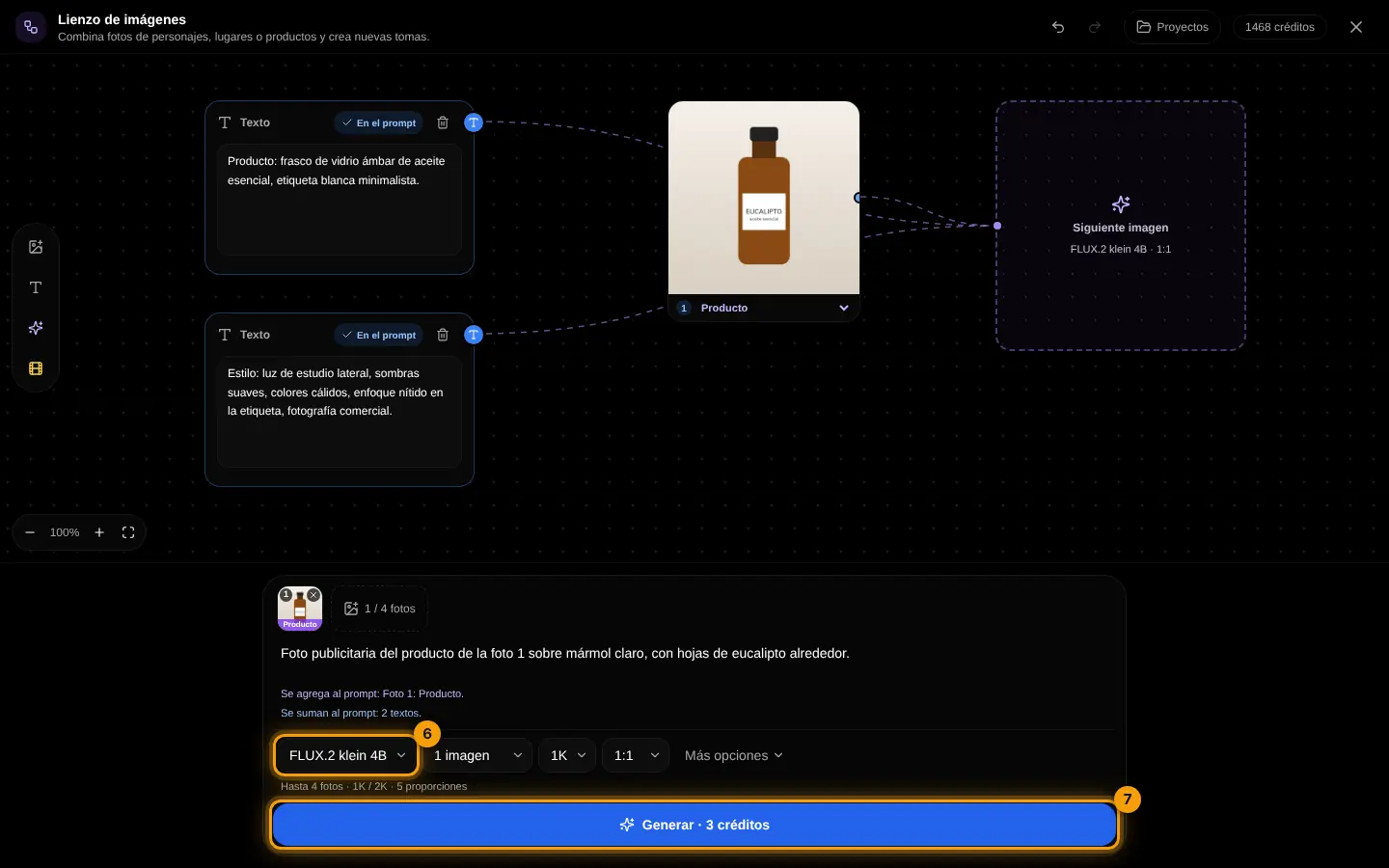
Choose a model and generate
Each model accepts a different number of photos (6); then press Generate (7).
Place the product on a beach towel at noon, summer vibe, top view, room for text on the right.
Your turn: write your promptImage prompt
Write your own version for your case. The Academy coach checks with rules whether it has every part, what is missing and suggests a version to complete. It is instant, not sent to the chat and does not use your plan.
- The subject and what it is doing
- Setting, light and time of day
- Style or medium (photo, illustration, 3D…)
- Framing, colors and space for text if needed
If your training permission is on (Settings → Privacy), your prompt and the review may be used, without personal data, to improve Drommo's models.
Challenge: Put the same product in three scenes: kitchen, office and beach.
Lesson 2 · 6 min
AI notes and storyboard
Let a text model plan the images for you.
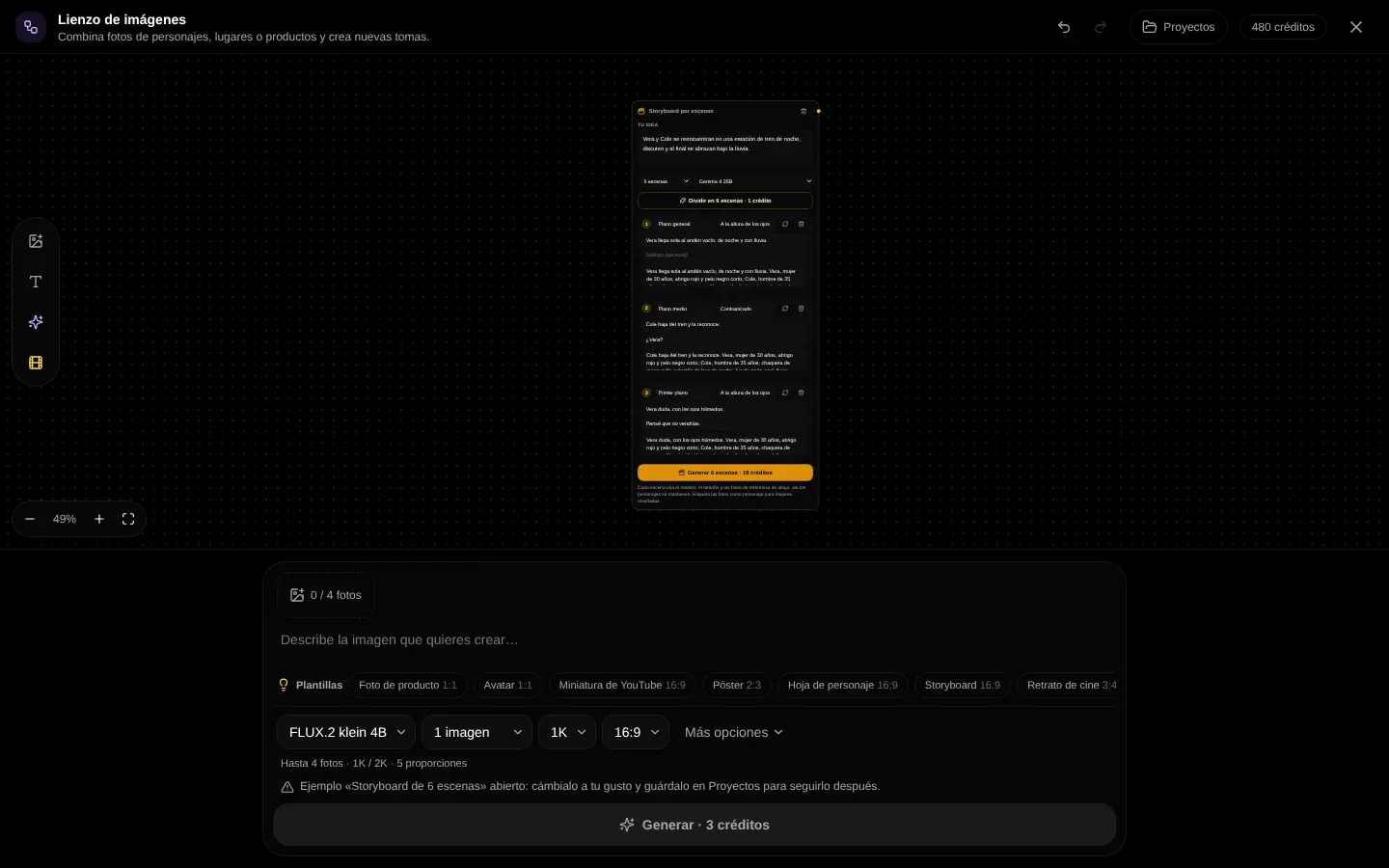
- "Improve prompt" turns a short idea into a detailed prompt.
- "Describe photo" writes what a reference shows, so the model keeps it.
- "Character sheet" fixes face, clothes and style for a recurring character.
- "Storyboard" splits a story into 6 shots; join each answer to the next image.
Challenge: Make a 6-shot storyboard of your brand mascot's day and create the first three images.
Lesson 3 · 5 min
Edit and export
Fix details and get a file ready to post.
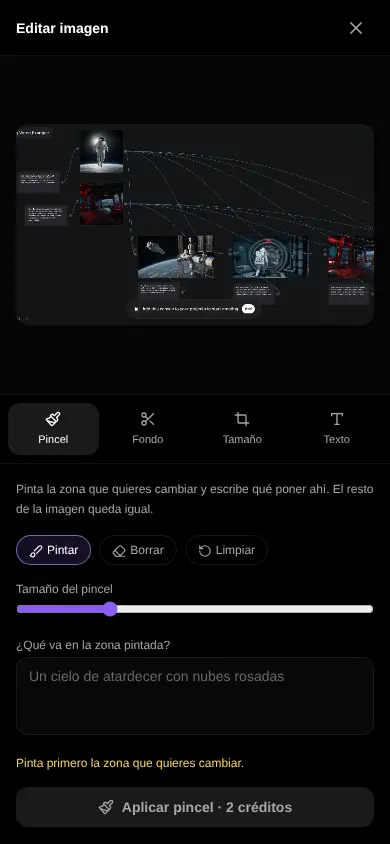
- Brush: paint an area and say what goes there.
- Remove or change the background, upscale to 2K or 4K.
- Crop to a social media size, add text and compare before and after.
- Save the project in your account to keep going another day.
Challenge: Take one result, change its background, add a headline and export it for a story.
Lesson 4 · 4 min
Move the panel and find your projects
Make room on the board and reopen your work another day.
- 1
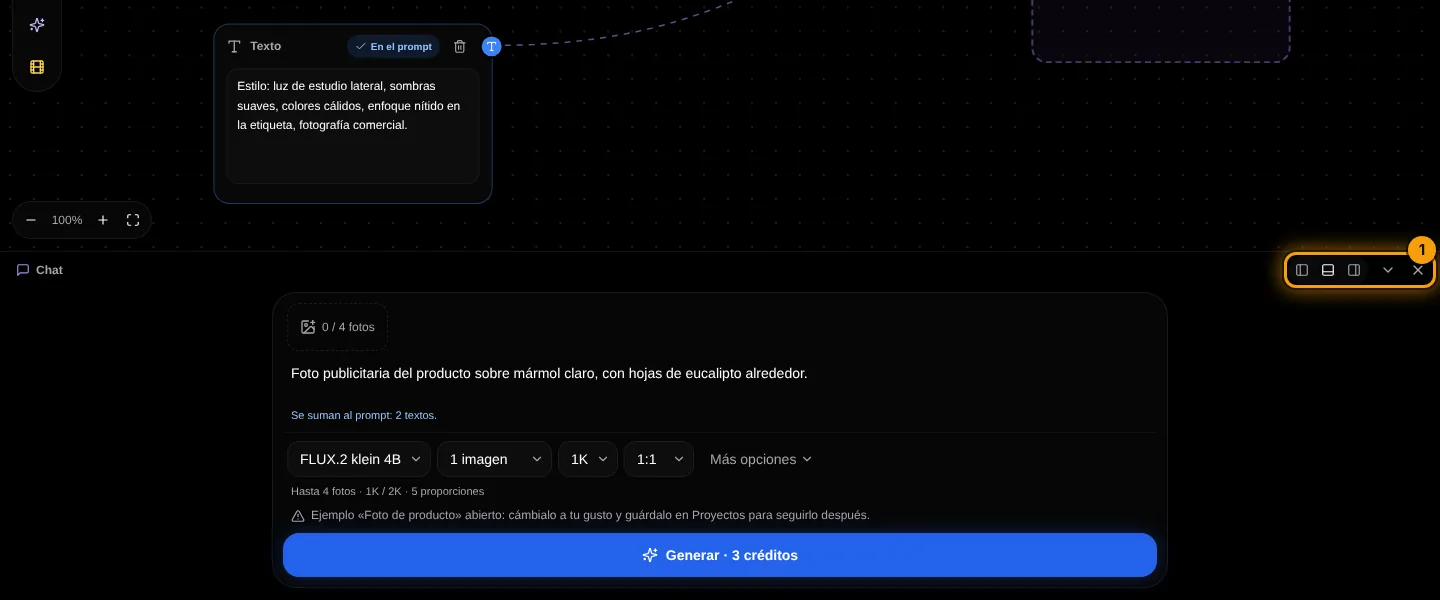
Dock the chat panel
The buttons at the top of the panel (1) move it to the left, to the right or to the bottom, minimize it to a bar or close it. Your browser remembers where you left it.
- 2
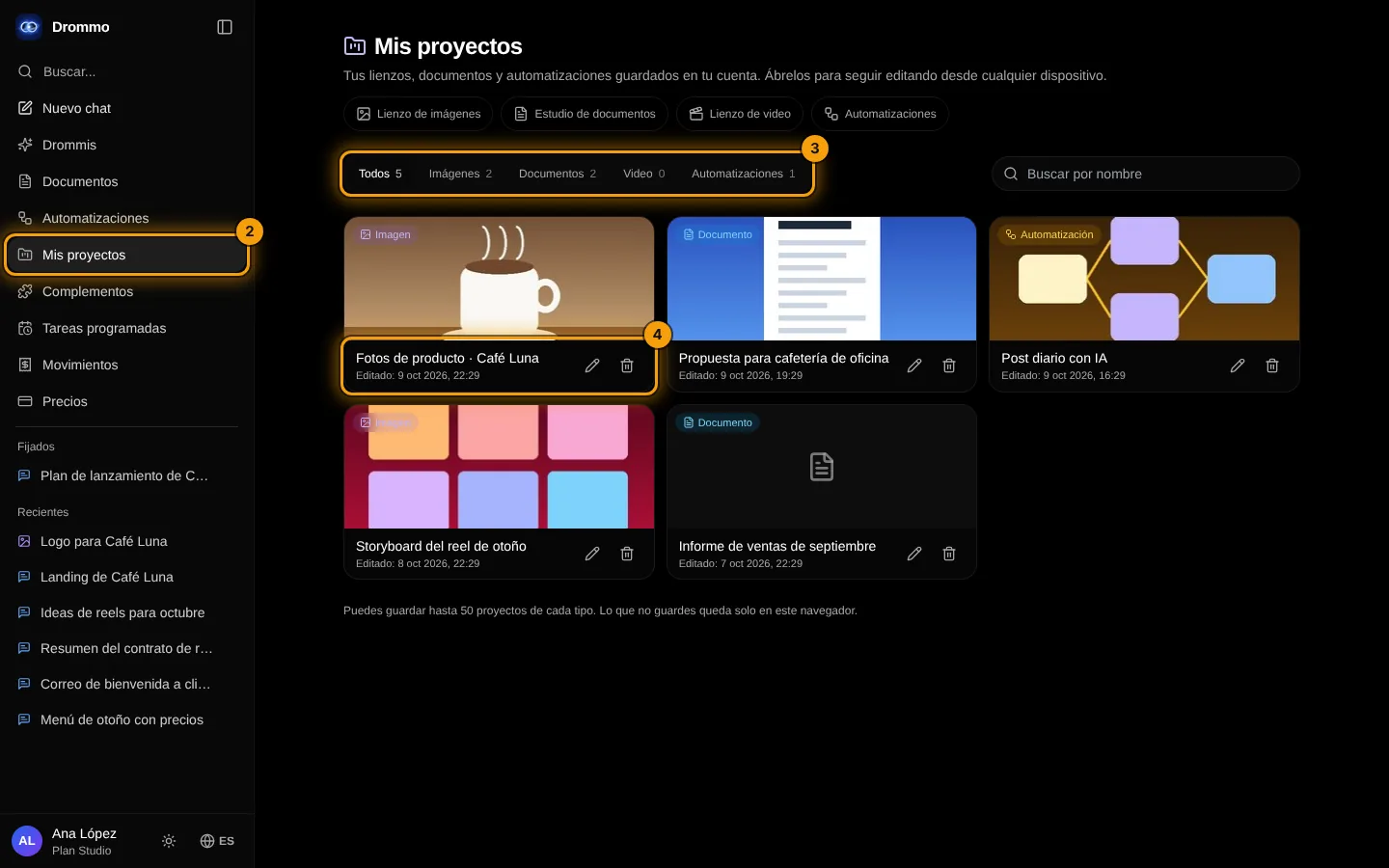
Open My projects
Everything you saved to your account appears in My projects (2). Filter by type (3), and open, rename or delete each project (4).
Challenge: Save your board, close the tab and reopen it from My projects.
Final exam and certificate
Answer the questions. With 80% or more you get your Drommo Academy certificate with your name and the date you finished. You can try as many times as you want.
In the documentation