Academy courses
Skills and the / menu
Give the chat expert ways of working with free skills.
0 of 2 lessons
By the end you will
- Find and install skills by category.
- Apply a skill to a single message with /.
- Choose which skills stay on.
Lesson 1 · 4 min
Install your first skill
Browse the catalog and turn a skill on.
- 1
Open Integrations
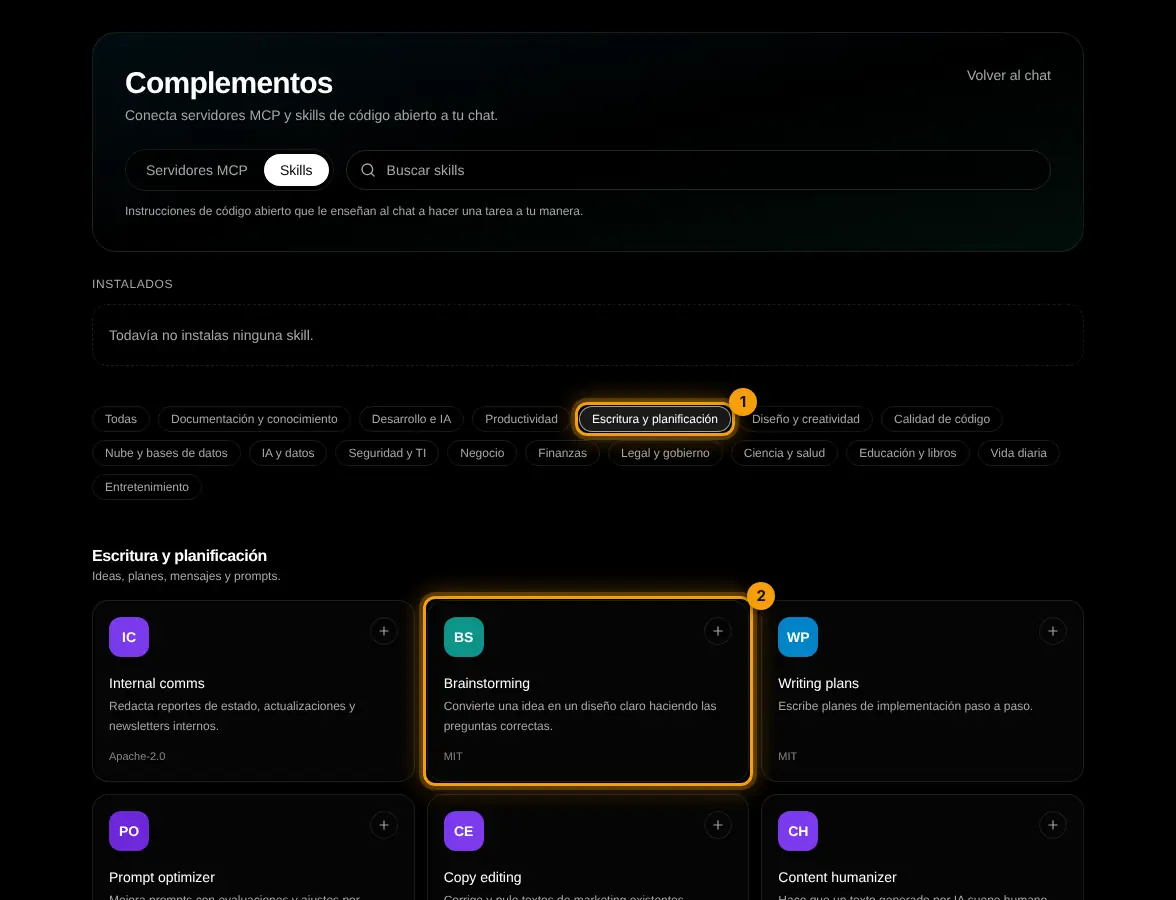
In Integrations open the Skills tab, pick a category (1) and tap a skill (2).
- 2
Read and install
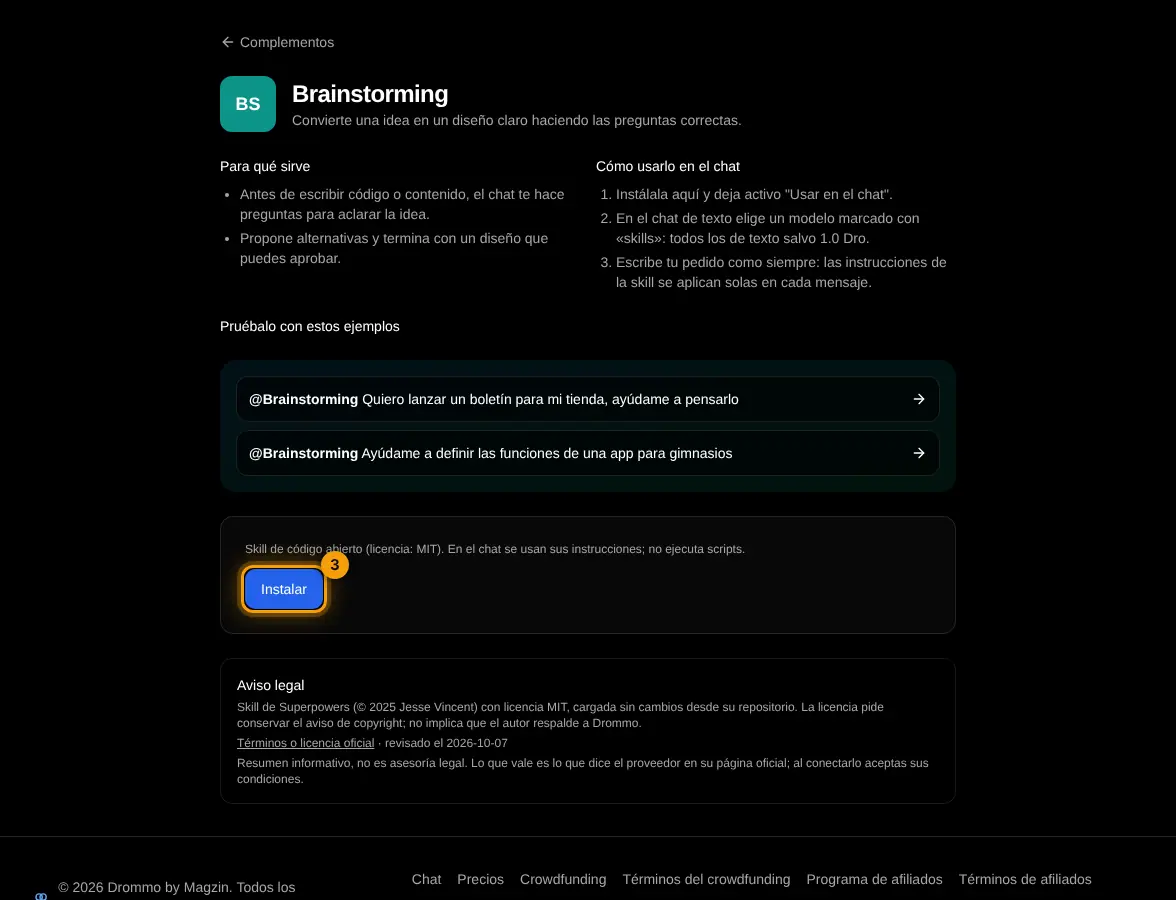
Each skill shows what it does, how to use it and its license. Tap Install (3).
- 3
Use in chat
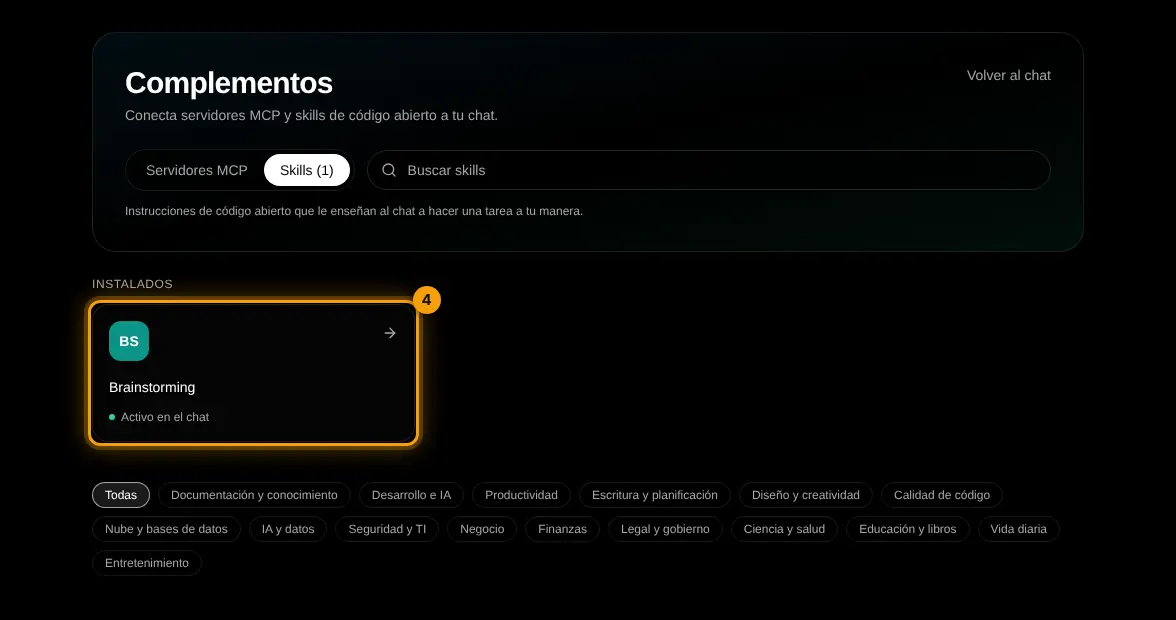
It shows under Installed as "On in chat" (4). Up to 3 are used per message.
Challenge: Install a writing skill and ask for a text you need this week.
Lesson 2 · 3 min
A skill for one message
Use / without changing your other messages.
/brainstorming Ideas to get the first 100 customers for a home cleaning service.
Write your own version for your case. The Academy coach checks with rules whether it has every part, what is missing and suggests a version to complete. It is instant, not sent to the chat and does not use your plan.
- The skill or command to use
- The concrete material to work on
- The expected result
- Format and constraints
If your training permission is on (Settings → Privacy), your prompt and the review may be used, without personal data, to improve Drommo's models.
- 1
Search in the / menu
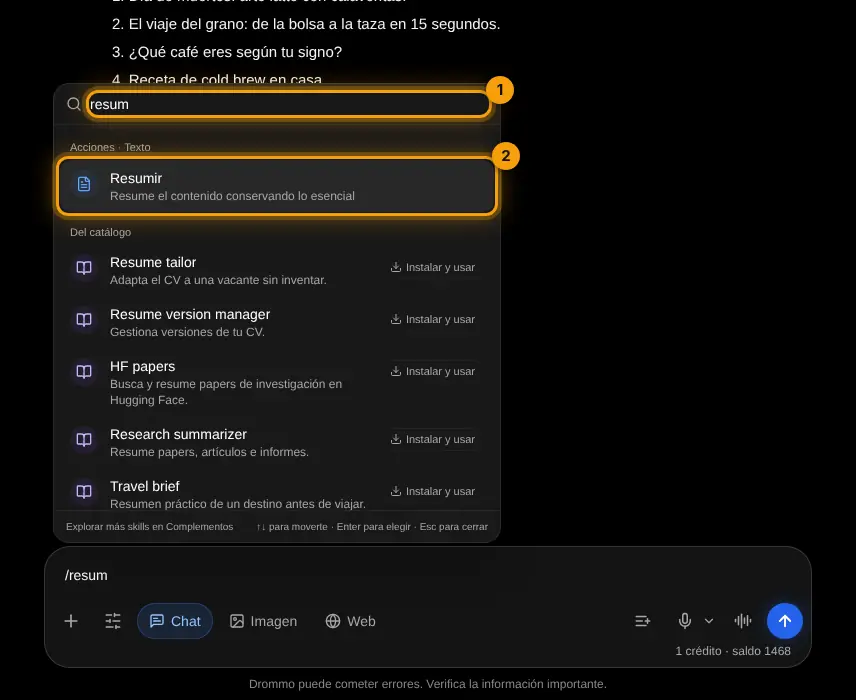
Type / in the box, search (1) and pick the skill (2). It applies only to that message.
Challenge: Try three different skills on the same question and keep the best one on.
Final exam and certificate
Answer the questions. With 80% or more you get your Drommo Academy certificate with your name and the date you finished. You can try as many times as you want.
In the documentation