Academy courses
Work with your photos and files
Ask about photos, review documents and get deeper answers.
0 of 3 lessons
By the end you will
- Analyze a photo with a vision model.
- Review a text file inside the chat.
- Use Research and Memory when they help.
Lesson 1 · 4 min
Ask about a photo
Use the + button to add a photo.
Read this receipt and make a table with product, quantity and price. Add the total at the end.
Your turn: write your promptText prompt
Write your own version for your case. The Academy coach checks with rules whether it has every part, what is missing and suggests a version to complete. It is instant, not sent to the chat and does not use your plan.
- A clear task (what to do)
- Context: who it is for and why
- Format and length of the answer
- Tone or constraints (what to avoid)
If your training permission is on (Settings → Privacy), your prompt and the review may be used, without personal data, to improve Drommo's models.
- 1
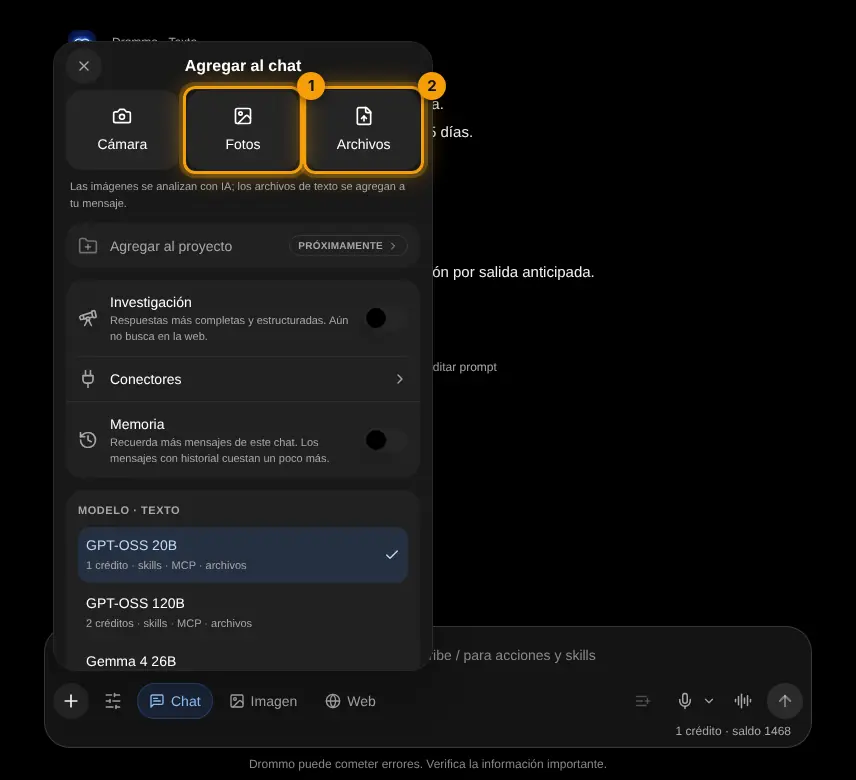
Open the + menu
Tap + next to the box and choose Photos (1); on your phone you can also use Camera.
- 2
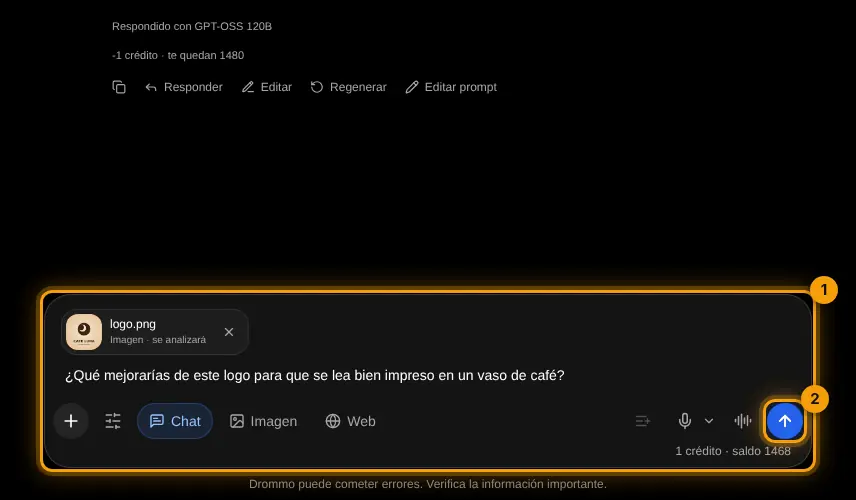
Ask about the photo
The photo appears above your message (1). Write your question and send (2).
Challenge: Take a photo of something on your desk and ask for three ways to use it.
Lesson 2 · 4 min
Review a document
Attach a text file and ask specific questions.
Text files are added to your message (up to 4,000 characters). For longer documents, paste the part you need.
List the dates, payments and penalties in this contract, and the questions I should ask before signing.
Your turn: write your promptText prompt
Write your own version for your case. The Academy coach checks with rules whether it has every part, what is missing and suggests a version to complete. It is instant, not sent to the chat and does not use your plan.
- A clear task (what to do)
- Context: who it is for and why
- Format and length of the answer
- Tone or constraints (what to avoid)
If your training permission is on (Settings → Privacy), your prompt and the review may be used, without personal data, to improve Drommo's models.
- 1
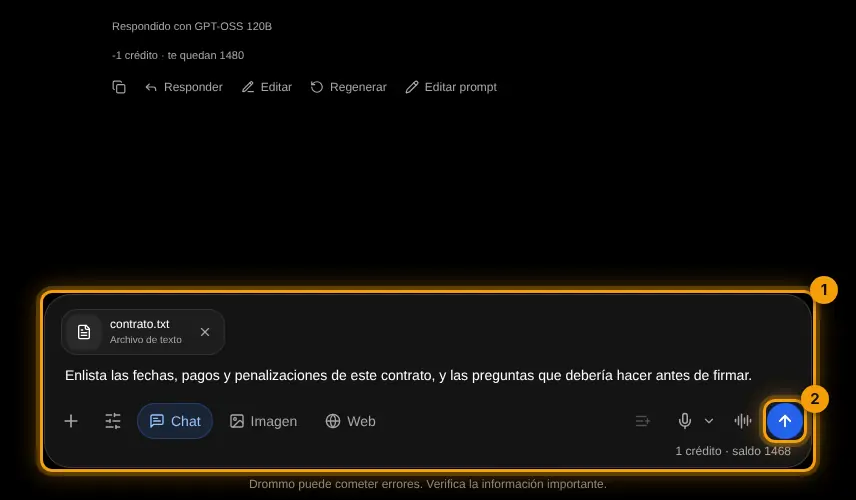
Attach the file
In the + menu choose Files and pick a text file (.txt, .md, .csv). It appears above your message (1); ask and send (2).
Challenge: Attach your CV or a resume as text and ask for 5 concrete improvements.
Lesson 3 · 3 min
Research and Memory
Know when each option is worth it.
- Research: longer, structured answers for topics you want to understand well. It does not search the web yet.
- Memory: the chat remembers more previous messages. Useful in long projects; it uses a bit more of your plan.
- 1
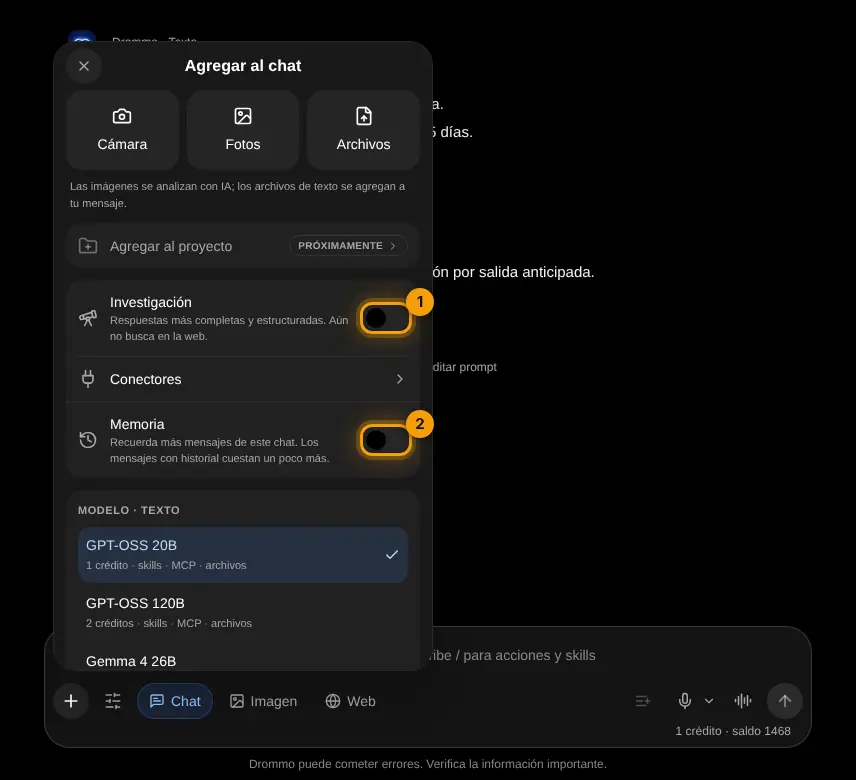
Turn them on in the + menu
Open + and turn on Research (1) or Memory (2). They stay on for that chat until you turn them off.
Challenge: Ask the same question with and without Research and compare the depth.
Final exam and certificate
Answer the questions. With 80% or more you get your Drommo Academy certificate with your name and the date you finished. You can try as many times as you want.
In the documentation