Academy courses
Connect your tools with MCP
Let the chat read and act in Notion, Linear, GitHub, your social networks and more.
0 of 4 lessons
By the end you will
- Connect a server with your account or your key.
- Choose safe permissions per tool.
- Combine connectors in a real workflow.
- Prepare social media posts with Buffer, Metricool or Postiz.
Lesson 1 · 5 min
Connect your first server
Sign in to a provider from Integrations.
- 1
Choose
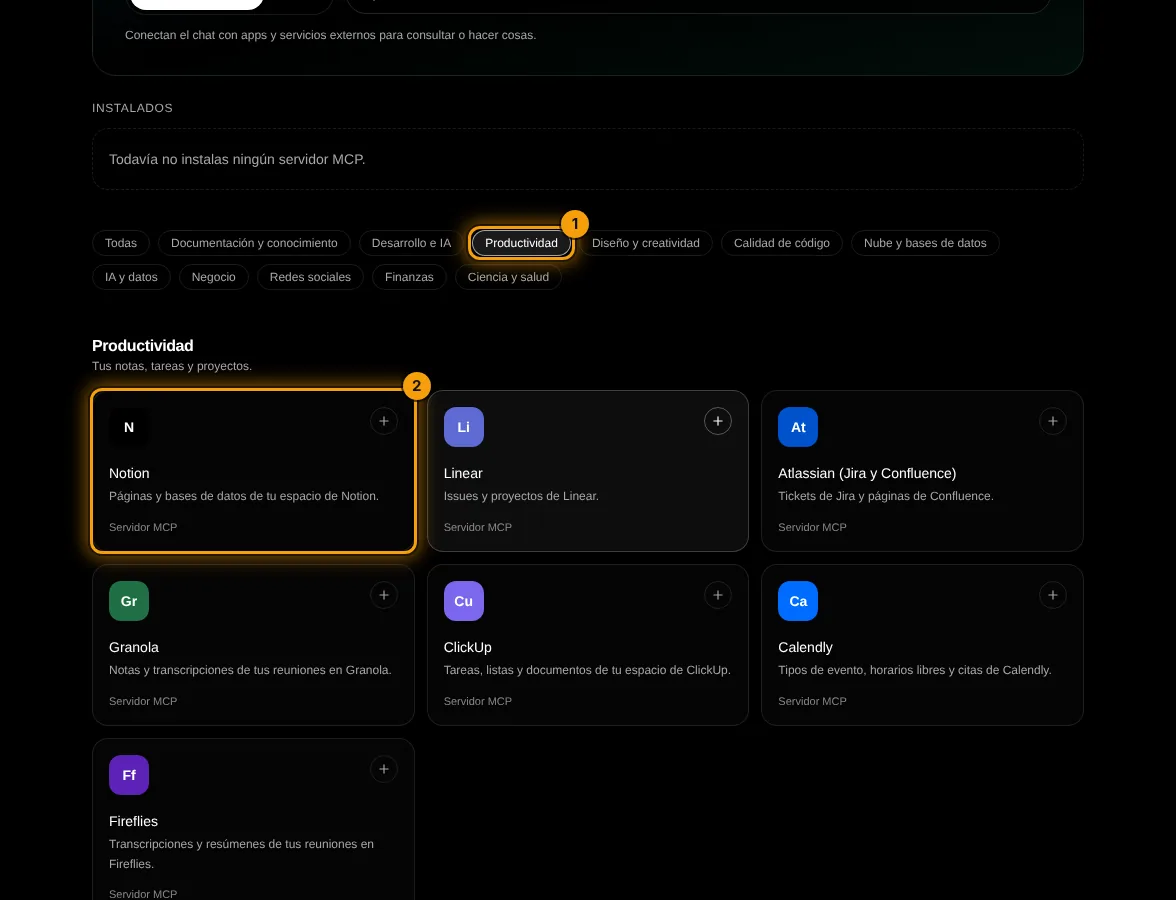
In Integrations, MCP servers tab, filter by category (1) and tap the server you use, like Notion (2).
- 2
Connect with your account
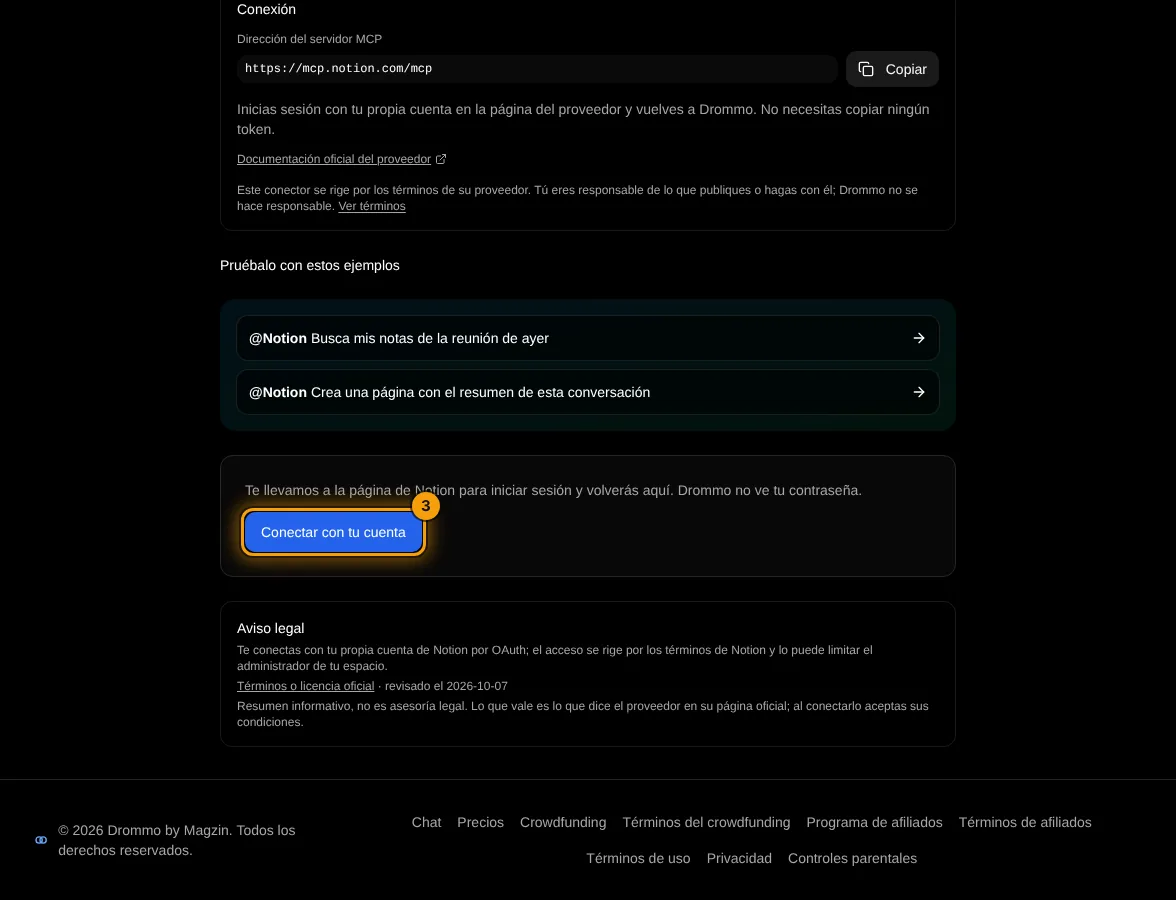
Tap Connect with your account (3): you sign in on the provider's page and return to Drommo.
- 3
Pick a model with tools
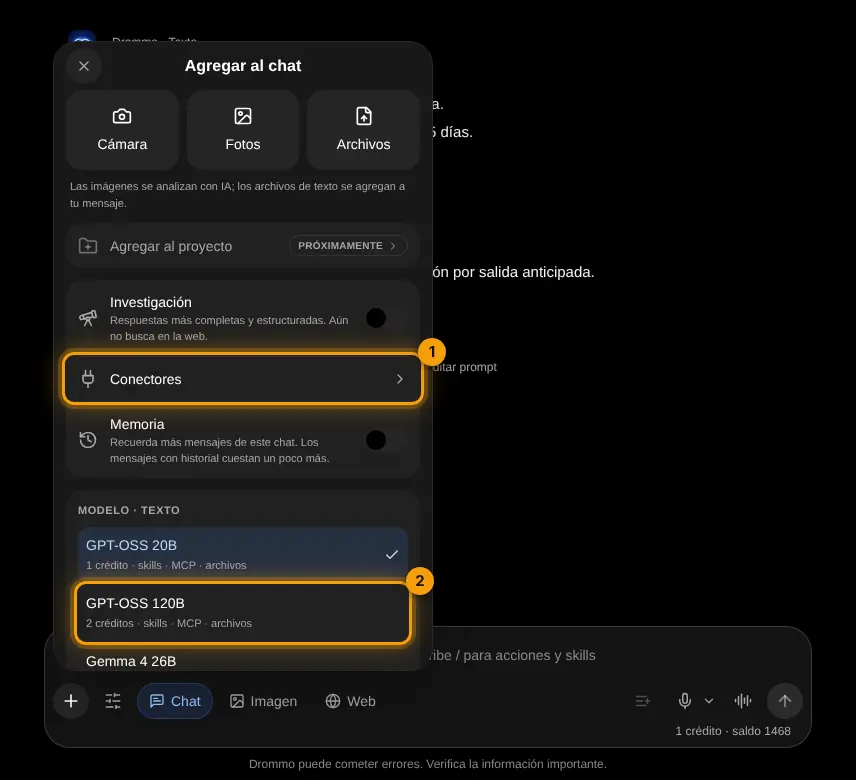
In the + menu pick a model marked MCP (2): GPT-OSS, Gemma 4, Qwen, GLM, Mistral Small or Llama 4 Scout. Connectors (1) takes you back to Integrations.
Challenge: Connect one tool you use daily and ask it a question about your own data.
Lesson 2 · 3 min
Safe permissions
Decide what the model may do.
- Start with "Low-risk actions only": read tools only.
- Switch to "All actions" only for servers you trust.
- Turn off any single tool you do not need.
Read each complement's legal note. The model sees what the connected account can see.
Challenge: Review the tools of one server and turn off the ones you will not use.
Lesson 3 · 5 min
Your social networks
Connect a publishing tool and leave posts ready.
Instagram, Facebook and TikTok do not offer their own connector for posts, so Drommo connects through the tools that publish for you: Buffer, Metricool and Postiz. X has a read-only connector, and Meta Ads and TikTok Ads read and manage your ads.
- 1
Filter by Social networks
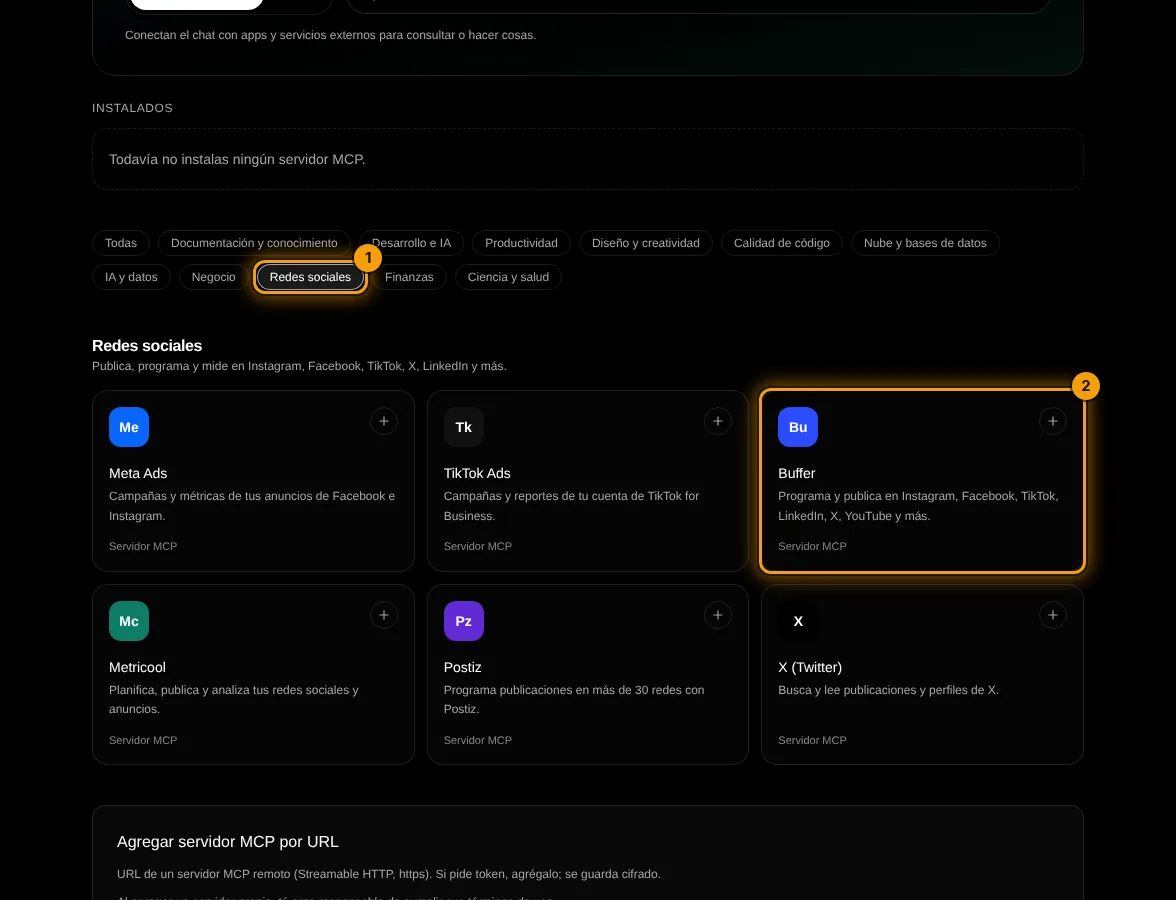
In Integrations, MCP servers tab, tap Social networks (1) and choose your tool, like Buffer (2).
- 2
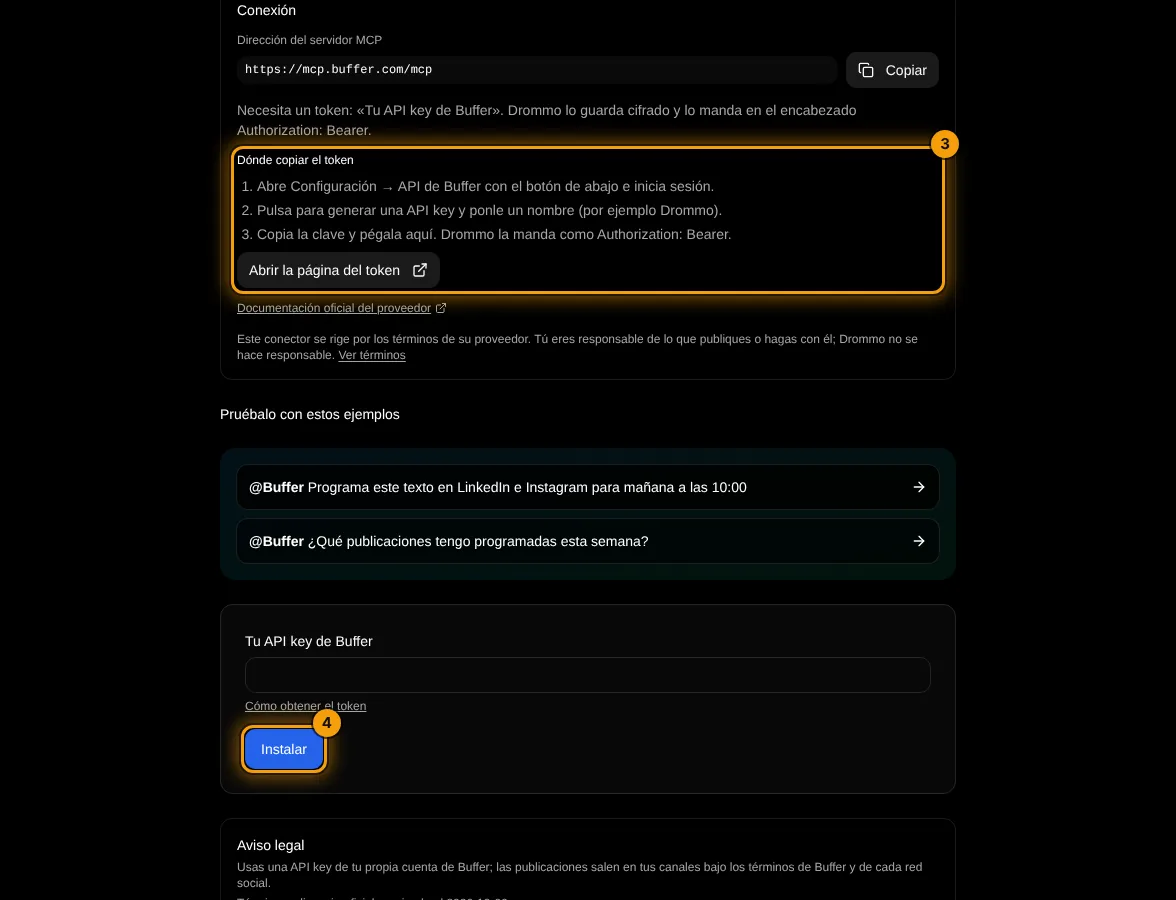
Follow the steps on the card
The card shows how to get your key (3), the server address with a copy button and a link to the provider's docs. Paste the key and tap Install (4).
With Buffer: write 3 posts for my coffee shop about our autumn menu and save them as drafts for Instagram, one per day starting Monday.
Write your own version for your case. The Academy coach checks with rules whether it has every part, what is missing and suggests a version to complete. It is instant, not sent to the chat and does not use your plan.
- The connector or tool to use
- Exactly what to read or do
- Limits: dates, amount, filters
- How to present the result
If your training permission is on (Settings → Privacy), your prompt and the review may be used, without personal data, to improve Drommo's models.
What you publish through a connector goes out under your name and the provider's rules. Start with drafts and review them before publishing.
Challenge: Connect your publishing tool and leave next week's three posts as drafts.
Lesson 4 · 6 min
A real workflow
Combine search, notes and tasks in one chat.
Search with Tavily for the 5 main trends in online education this year, summarize them, and create a Linear issue for each one we could test, with a short description.
Your turn: write your promptPrompt for a connector
Write your own version for your case. The Academy coach checks with rules whether it has every part, what is missing and suggests a version to complete. It is instant, not sent to the chat and does not use your plan.
- The connector or tool to use
- Exactly what to read or do
- Limits: dates, amount, filters
- How to present the result
If your training permission is on (Settings → Privacy), your prompt and the review may be used, without personal data, to improve Drommo's models.
Challenge: Design a two-connector workflow for something you do every week.
Final exam and certificate
Answer the questions. With 80% or more you get your Drommo Academy certificate with your name and the date you finished. You can try as many times as you want.
In the documentation