Academy courses
Automate with Agenda
Prompts and automations that run on their own every hour, day or week.
0 of 2 lessons
By the end you will
- Create a task with the right frequency.
- Read its history and open each run.
- Combine tasks with complements.
Lesson 1 · 5 min
Your first task
Turn a repeated prompt into a task.
Every day at 7:30: a summary of my day's priorities and one productivity tip.
Your turn: write your promptAgenda task prompt
Write your own version for your case. The Academy coach checks with rules whether it has every part, what is missing and suggests a version to complete. It is instant, not sent to the chat and does not use your plan.
- A task that makes sense every time it runs
- What changes between runs (date, topic, data)
- The format of the result
- Length and tone
If your training permission is on (Settings → Privacy), your prompt and the review may be used, without personal data, to improve Drommo's models.
Each run counts toward your plan's usage limit, like a chat message. If you reached the limit, it is skipped and noted in the history.
- 1
New task
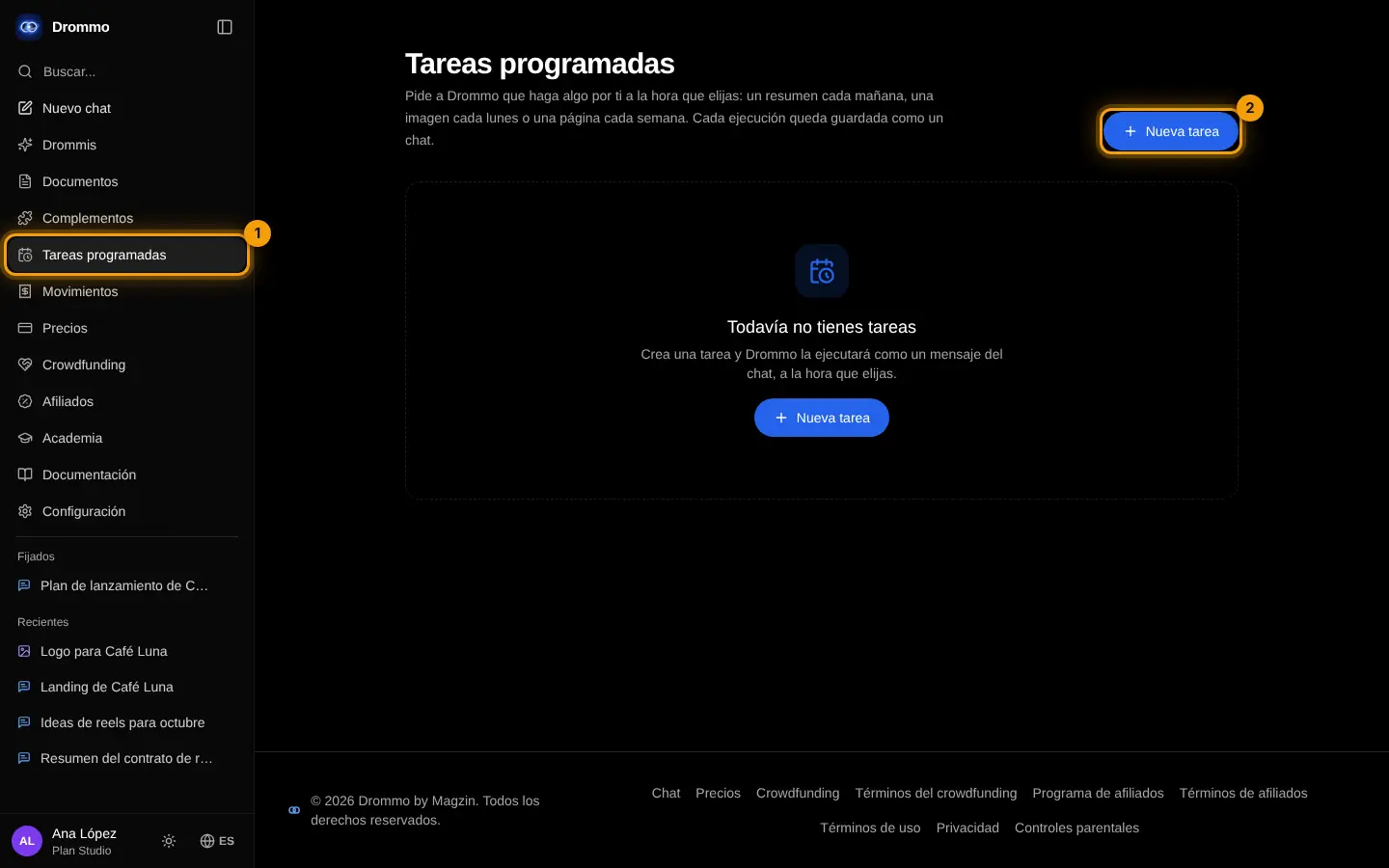
In the side menu open Agenda (1) and tap New task (2).
- 2
Name and instructions
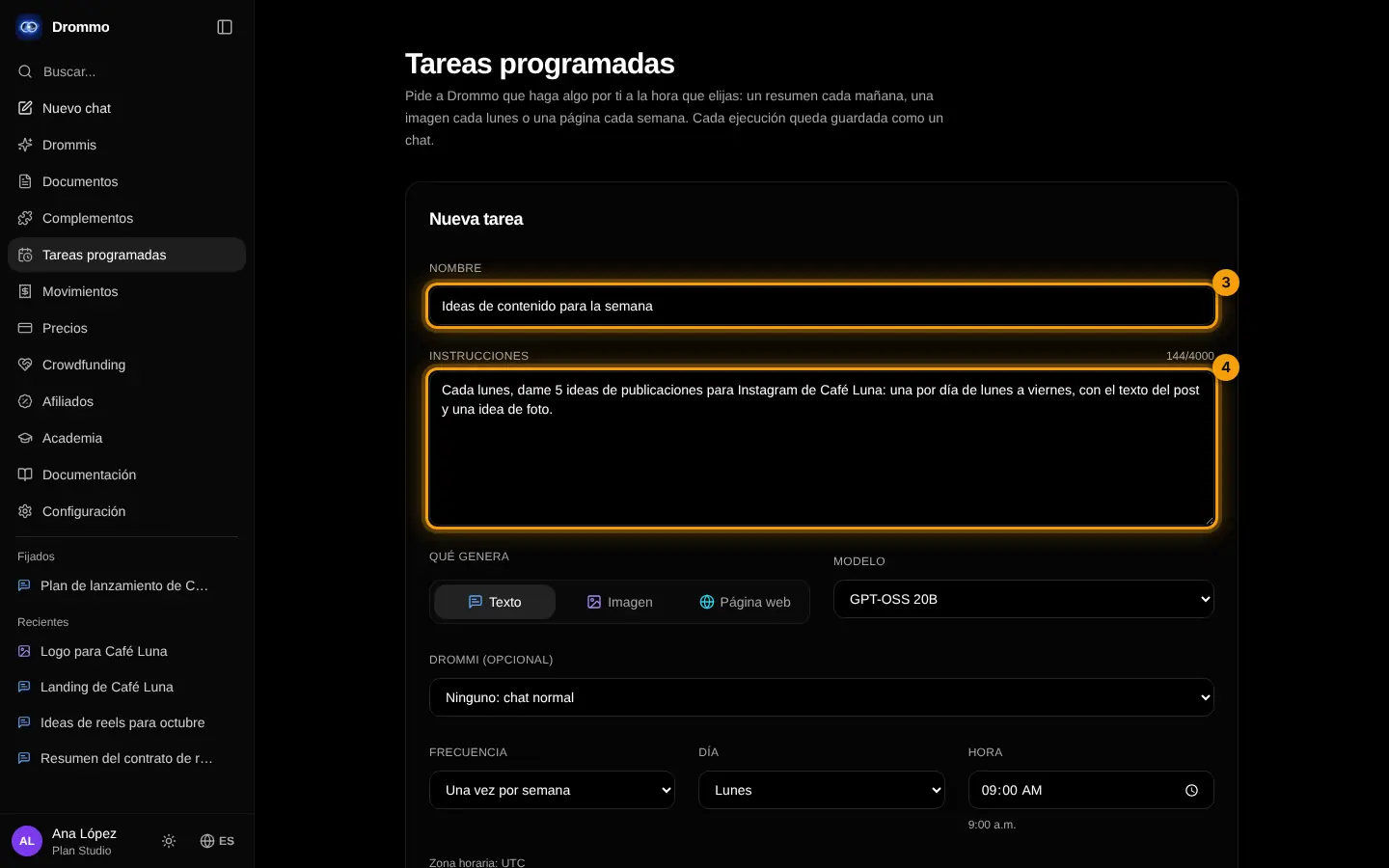
Give it a name (3) and write what Drommo should do each time, as if it were a chat message (4).
- 3
When it runs
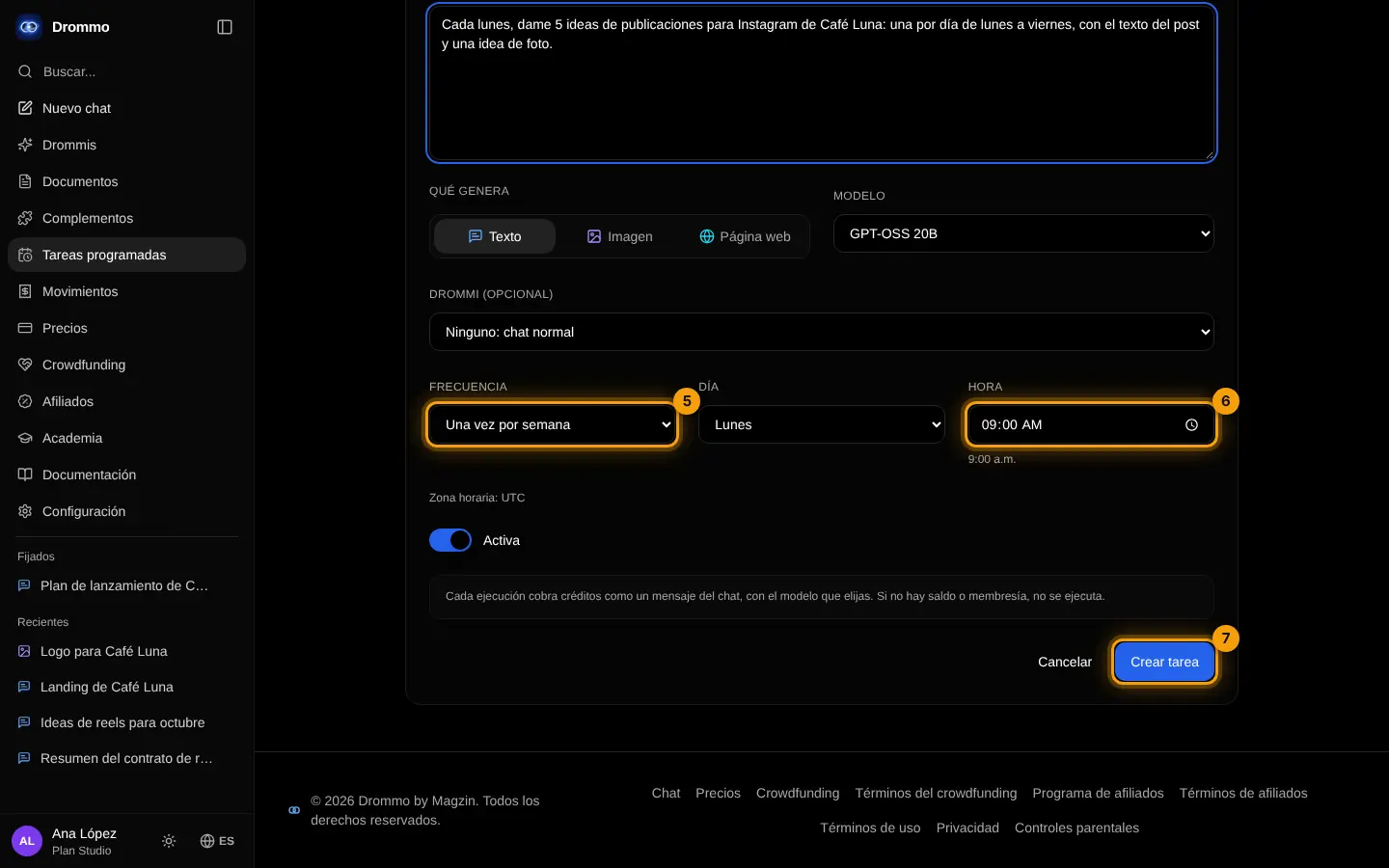
Choose the frequency (5) and the time (6), then tap Create task (7).
- 4
Check the list
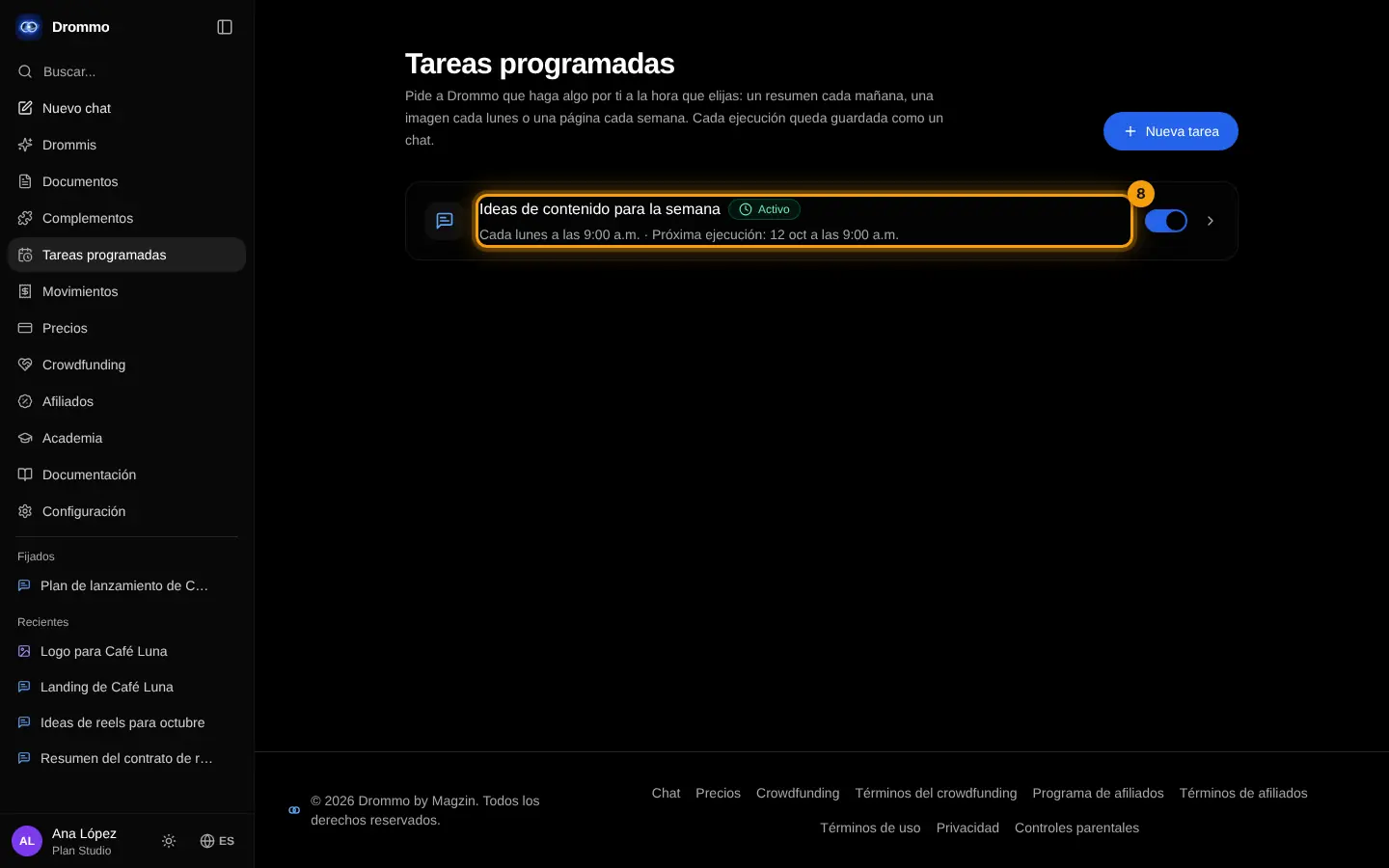
The task shows in the list with its next run (8); the switch turns it on or off.
- 5
Test it now
Open it and tap Run now (9): the result is saved as a chat, and the history shows each run.
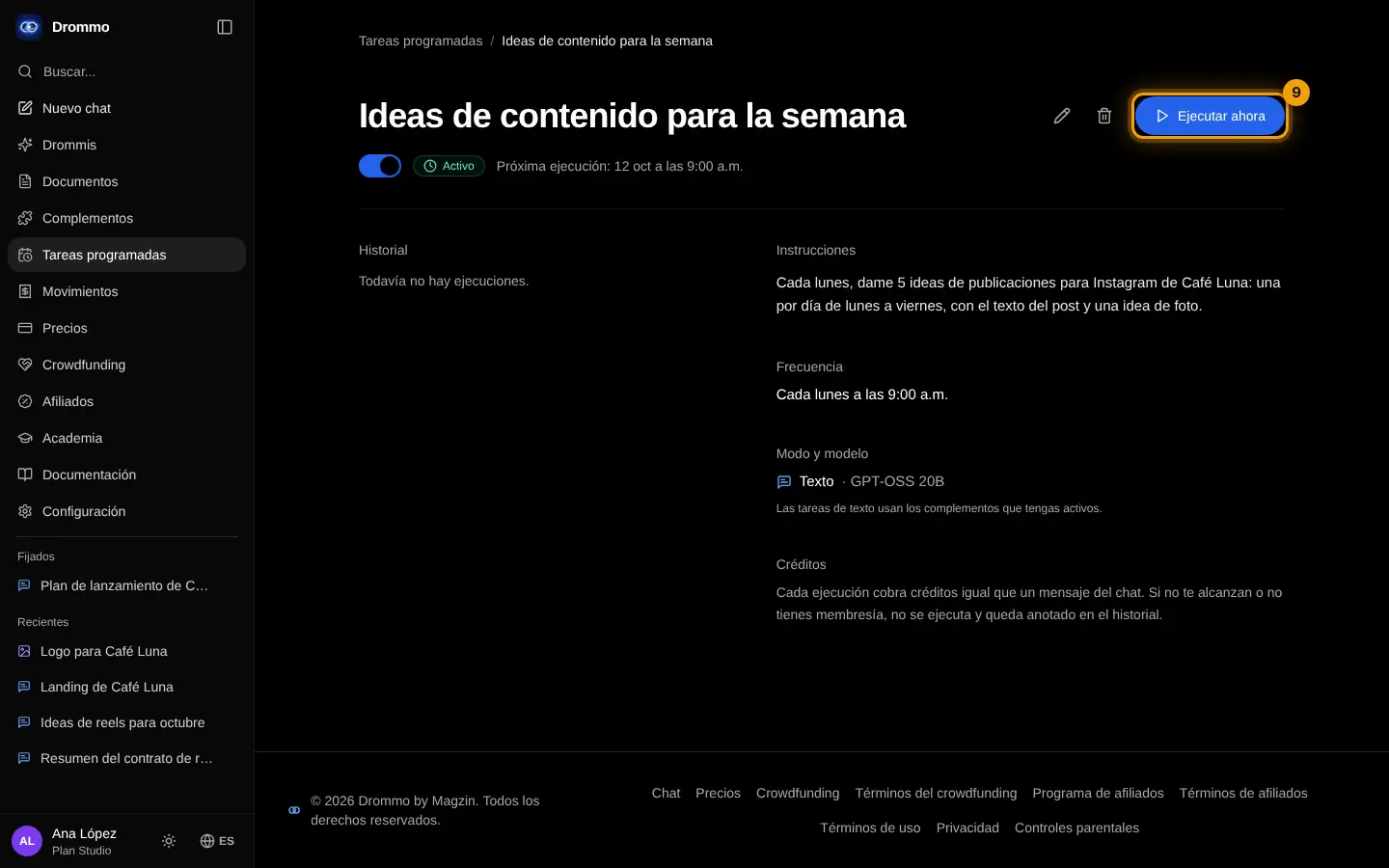
Challenge: Create a weekly task and use "Run now" to test it before the first run.
Lesson 2 · 4 min
Tasks with complements
Let a task use your connected tools.
Text tasks use the complements you have on. A daily task can, for example, read your Linear issues and send you a summary chat.
Every weekday at 18:00: read my open Linear issues and list what changed today and what is blocked.
Your turn: write your promptAgenda task prompt
Write your own version for your case. The Academy coach checks with rules whether it has every part, what is missing and suggests a version to complete. It is instant, not sent to the chat and does not use your plan.
- A task that makes sense every time it runs
- What changes between runs (date, topic, data)
- The format of the result
- Length and tone
If your training permission is on (Settings → Privacy), your prompt and the review may be used, without personal data, to improve Drommo's models.
- 1
Model and Drommi
In the task form choose a model with tools (1) so it can use your connectors and skills, and, if you want, a Drommi (2) to answer with its instructions and files.
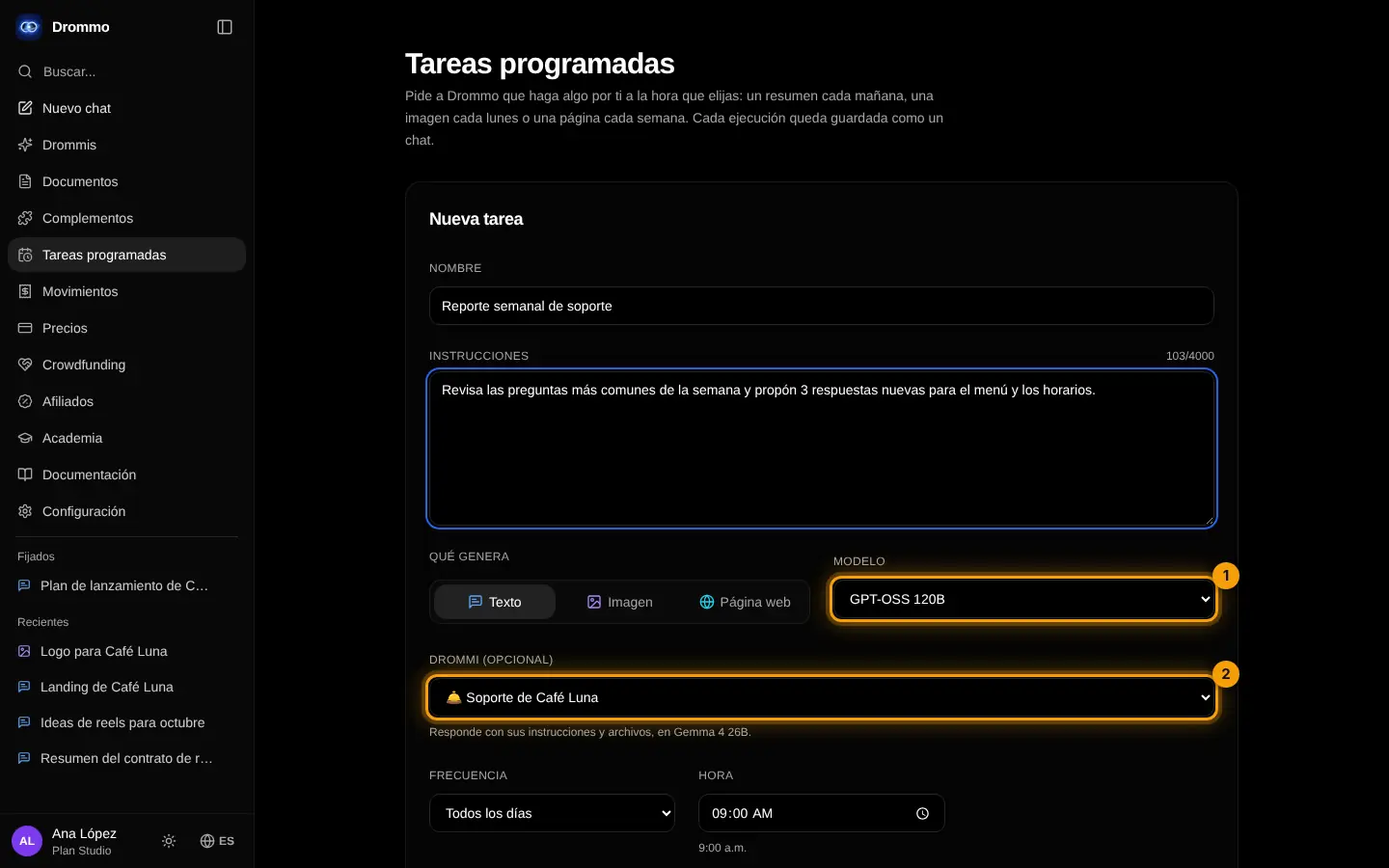
Challenge: Automate one report you write by hand every week.
Final exam and certificate
Answer the questions. With 80% or more you get your Drommo Academy certificate with your name and the date you finished. You can try as many times as you want.
In the documentation