Academy courses
Your own assistant: Drommis
An assistant that answers from your files, cites the page and can be shared.
0 of 3 lessons
By the end you will
- Write instructions that give a Drommi a clear job.
- Upload files and check its citations.
- Use it with @, in a scheduled task and by link.
Lesson 1 · 5 min
Give it a job
Create a Drommi with a name, a model and good instructions.
You are the support assistant of Sweet Bakery. Answer only with the attached files. Be brief and friendly, use bullet points for steps, and if something is not in the files say so and suggest writing to hello@example.com.
Your turn: write your promptDrommi instructions
Write your own version for your case. The Academy coach checks with rules whether it has every part, what is missing and suggests a version to complete. It is instant, not sent to the chat and does not use your plan.
- The role and who it helps
- What it must do and what it must not do
- How to answer: tone, format, length
- When to say "I don't know" or use its files
If your training permission is on (Settings → Privacy), your prompt and the review may be used, without personal data, to improve Drommo's models.
- Say who it is, who it talks to and what it must not do.
- Add up to 4 suggested questions so people know how to start.
- 1
Create it
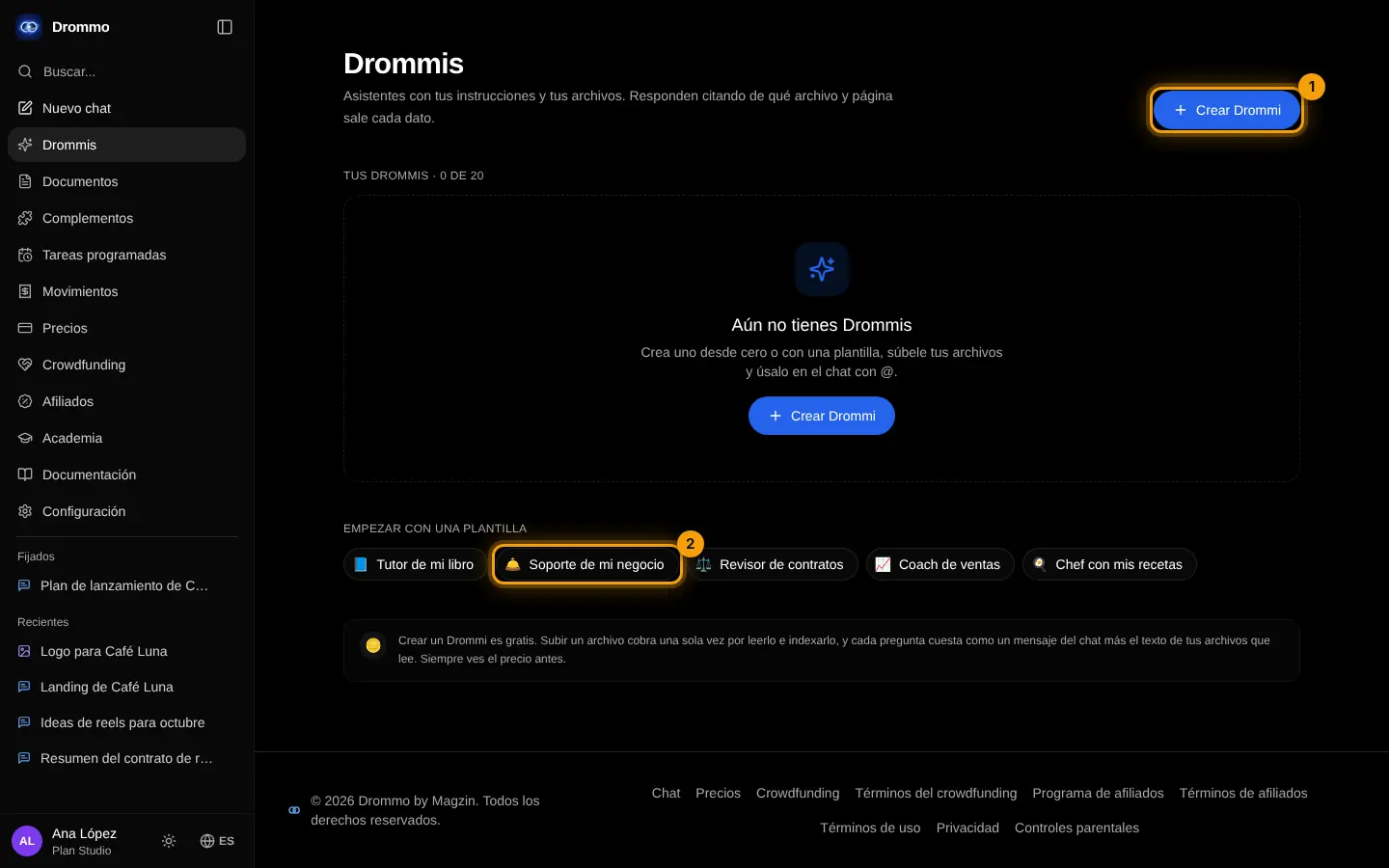
In Drommis tap Create Drommi (1) or start from a template (2).
- 2
Name and instructions
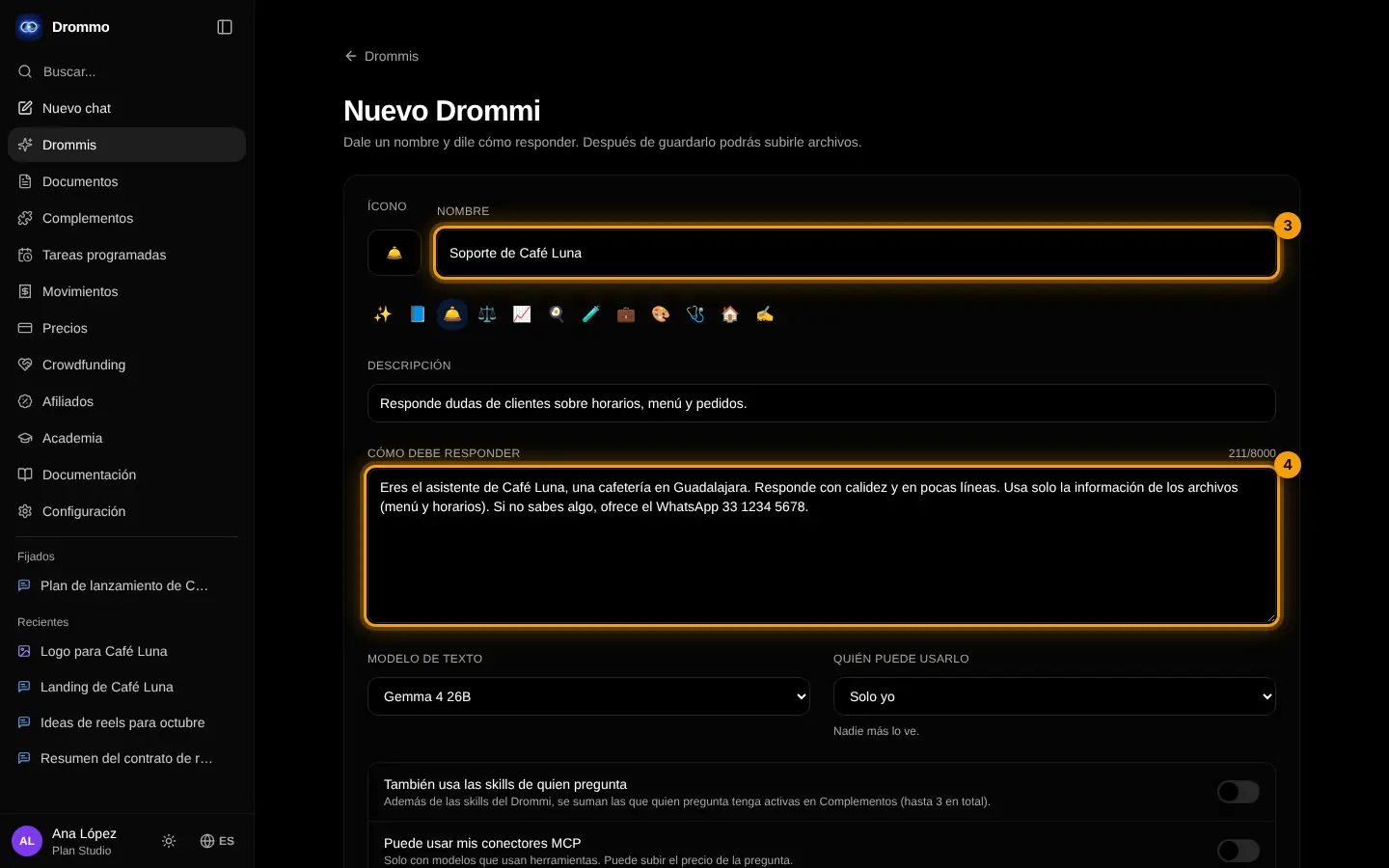
Give it a name (3) and write how it should answer (4).
- 3
Model and who can use it
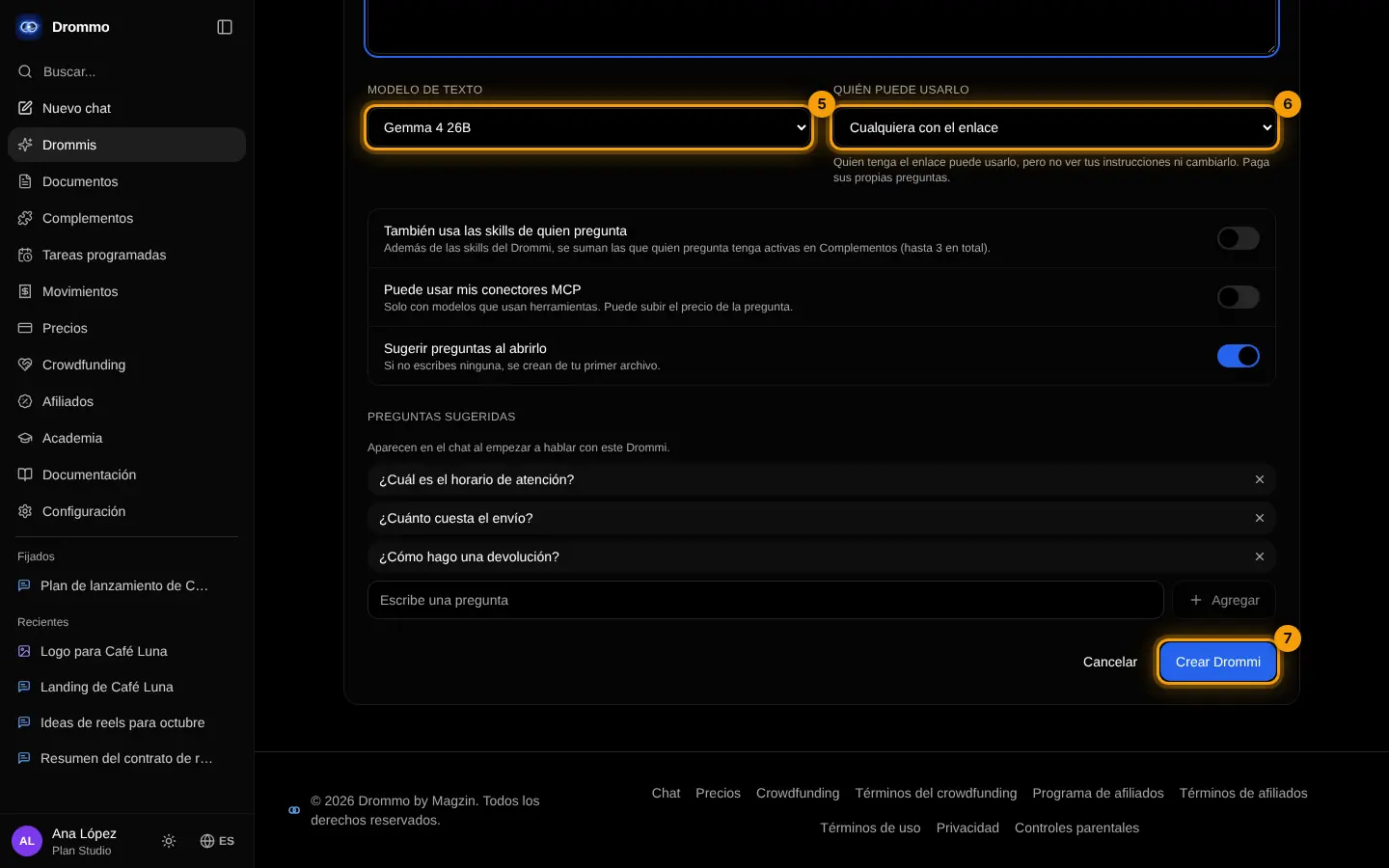
Choose the text model (5) and who can use it (6): only you, anyone with the link or the gallery. Then Create Drommi (7).
Challenge: Create a Drommi for the question you answer most often at work.
Lesson 2 · 6 min
Files, citations and skills
Feed it your documents and check every answer.
- Upload PDF, Word, Excel, PowerPoint, CSV, text or photos; confirm the estimate first.
- Each answer cites file and page; open them to check.
- Ask something that is not in the files: it should say it did not find it.
- Add up to 3 skills; the page suggests some for its topic.
- 1
Upload and add skills
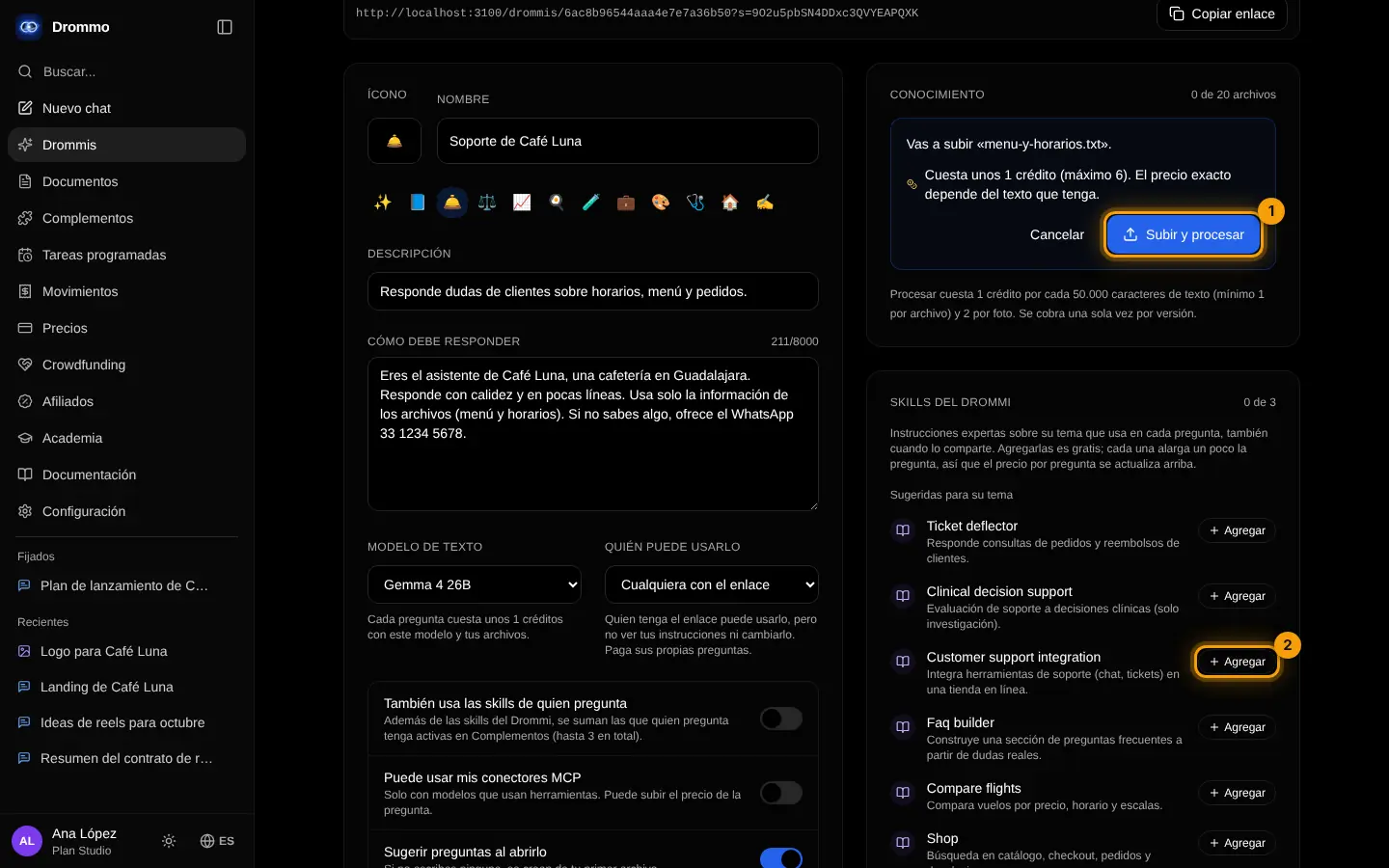
Pick a file in Knowledge, check the estimate and tap Upload and process (1). Below, Add (2) gives it a suggested skill.
Challenge: Upload your price list and FAQ and ask 5 real customer questions.
Lesson 3 · 5 min
Use it everywhere
Call it from the chat, schedule it and share it.
- In the chat: @ and its name, or the / menu.
- In a scheduled task, for example a Monday summary from your files.
- Share it by link or in the public gallery; the questions of whoever uses it count toward their own plan.
@Policies Which documents do I need to request a vacation day? Give me the steps.
Your turn: write your promptDrommi instructions
Write your own version for your case. The Academy coach checks with rules whether it has every part, what is missing and suggests a version to complete. It is instant, not sent to the chat and does not use your plan.
- The role and who it helps
- What it must do and what it must not do
- How to answer: tone, format, length
- When to say "I don't know" or use its files
If your training permission is on (Settings → Privacy), your prompt and the review may be used, without personal data, to improve Drommo's models.
- 1
Copy the link or open it
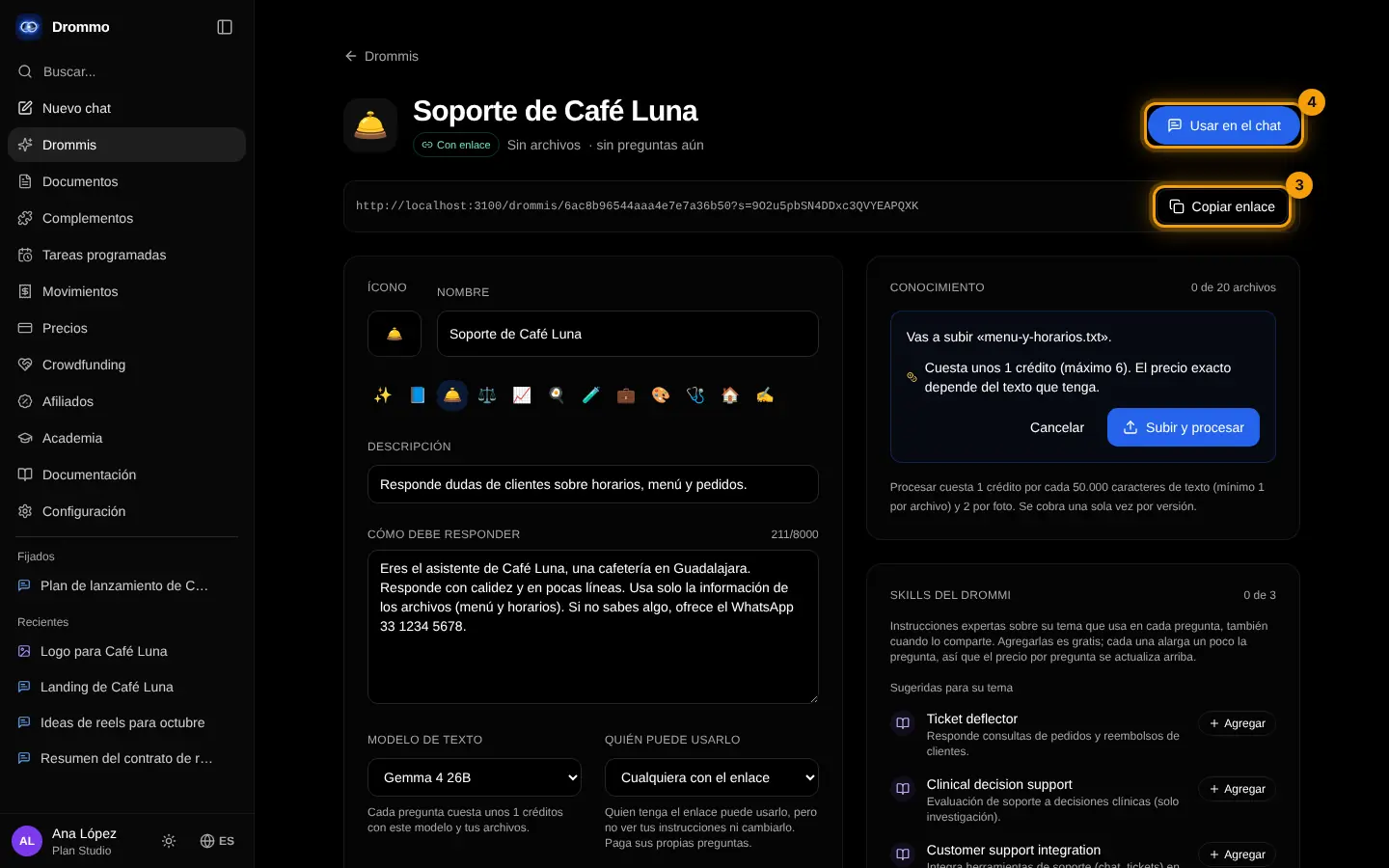
On its page, Copy link (3) shares it and Use in chat (4) opens it in the chat.
- 2
Ask it in the chat
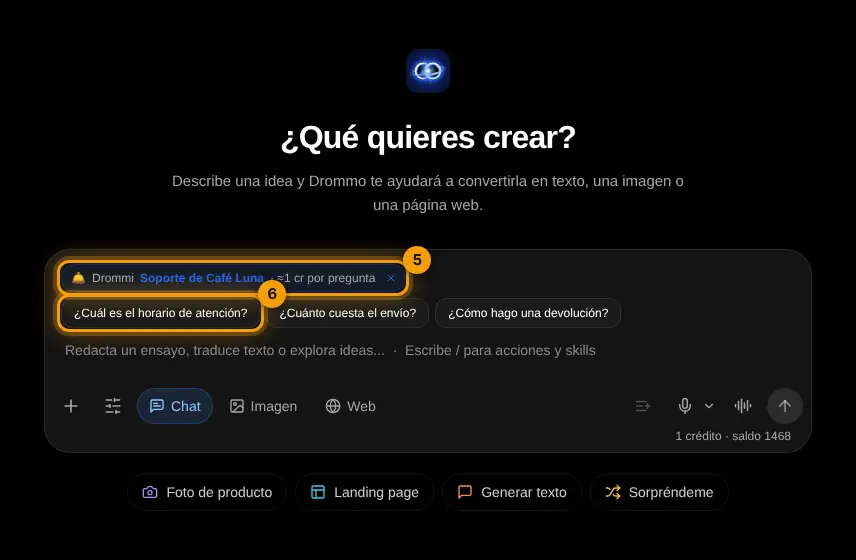
The Drommi shows above the box (5); tap a suggested question (6) or write your own.
Challenge: Share your Drommi by link with a colleague and ask for feedback on three answers.
Final exam and certificate
Answer the questions. With 80% or more you get your Drommo Academy certificate with your name and the date you finished. You can try as many times as you want.