Academy courses
Drommo Docs: documents from your sources
Turn files, web pages and notes into a document, slides or a table.
0 of 2 lessons
By the end you will
- Join sources on the canvas and build a cited document.
- Edit one section with AI without touching the rest.
- Get slides or a table and download them.
Lesson 1 · 6 min
Sources and lines
Build your first document from three sources.
- 1
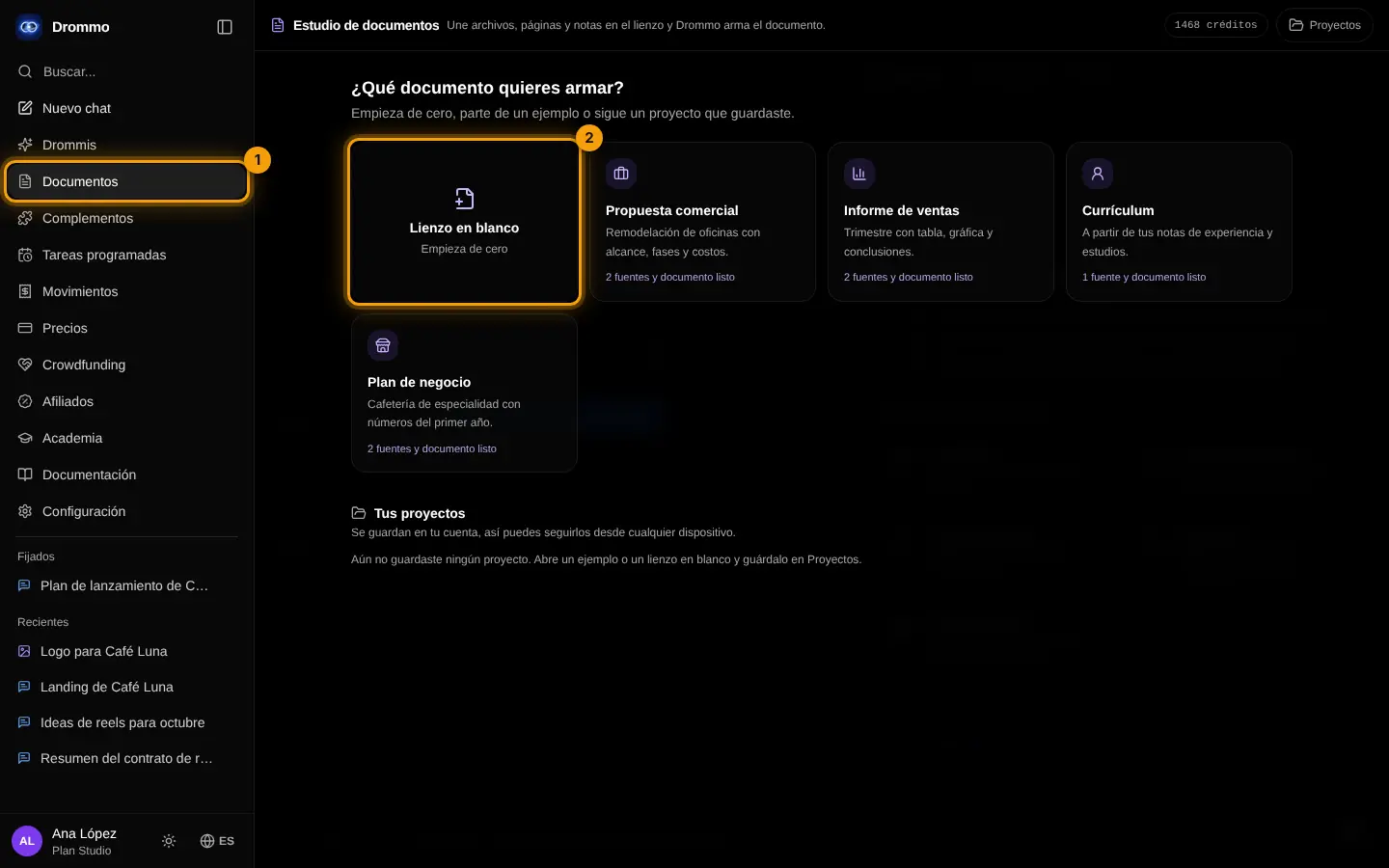
Open the studio
In the side menu tap Drommo Docs (1) and start a blank canvas (2) or an example.
- 2
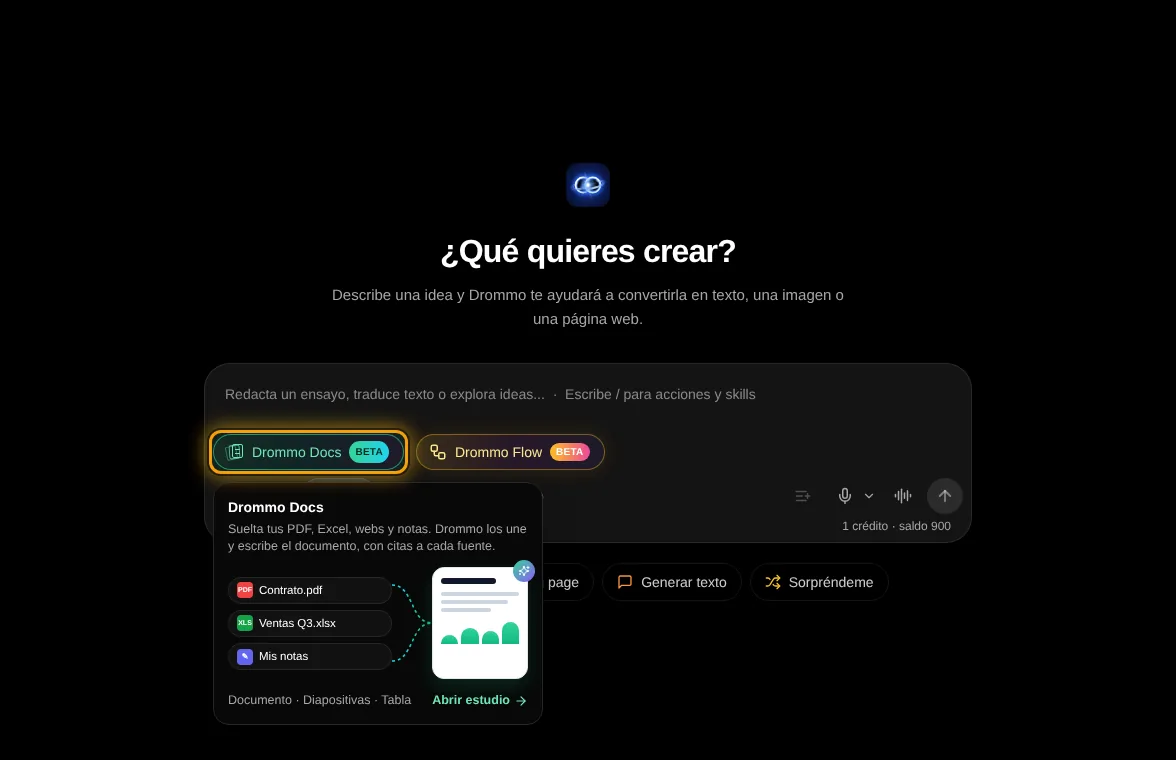
Or from the chat
In Chat mode, the Drommo Docs button above the modes (marked in orange) opens the studio too; on a computer, hovering it shows a preview.
- 3
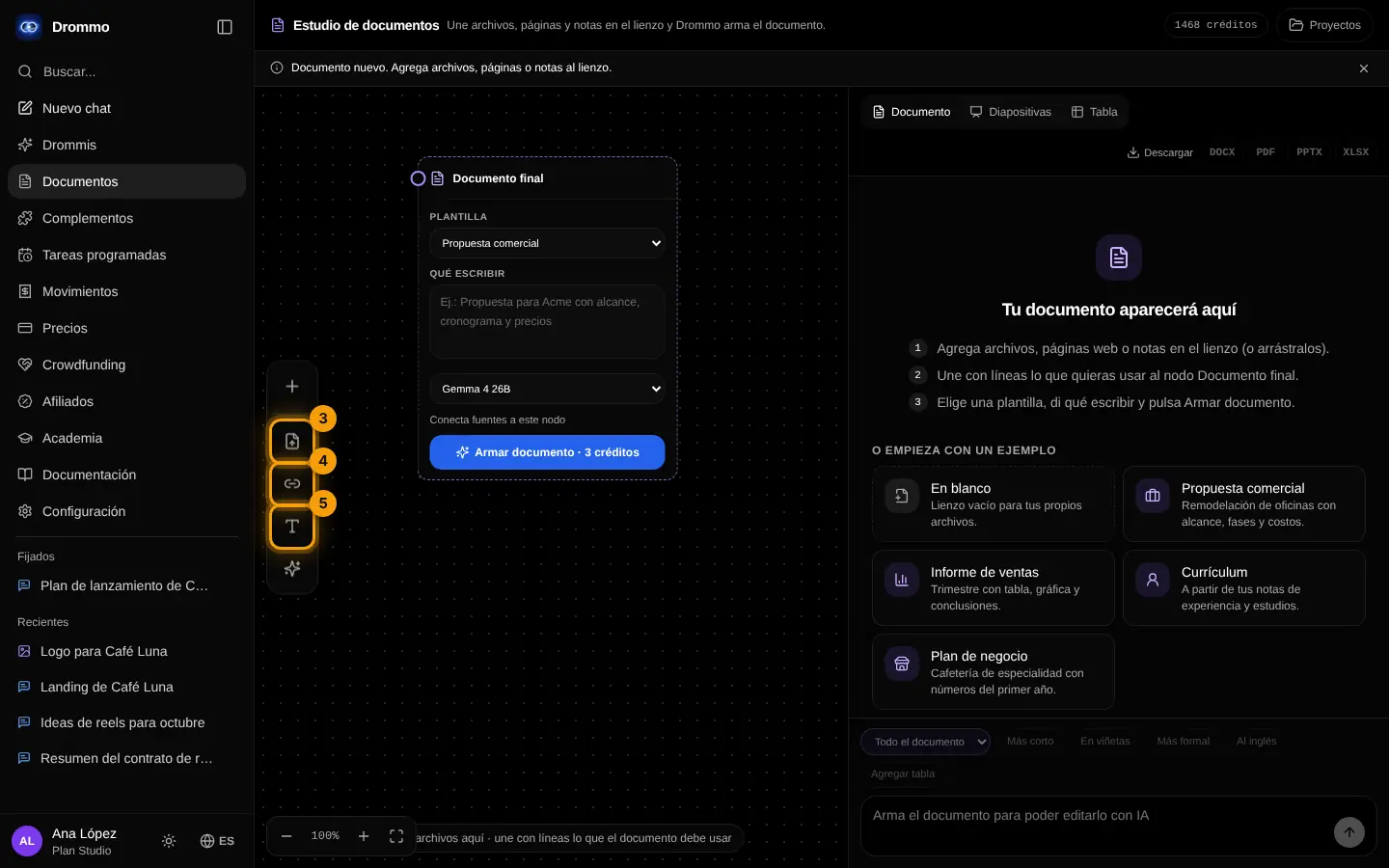
Drag your files
Drag them onto the canvas or use Upload file (3): PDF, Word, Excel, PowerPoint, CSV or text. Office files are read in your browser.
- 4
Add a web page or a note
In the same bar, Web page (4) takes a link and Note (5) the context you want included.
- 5
Join and build
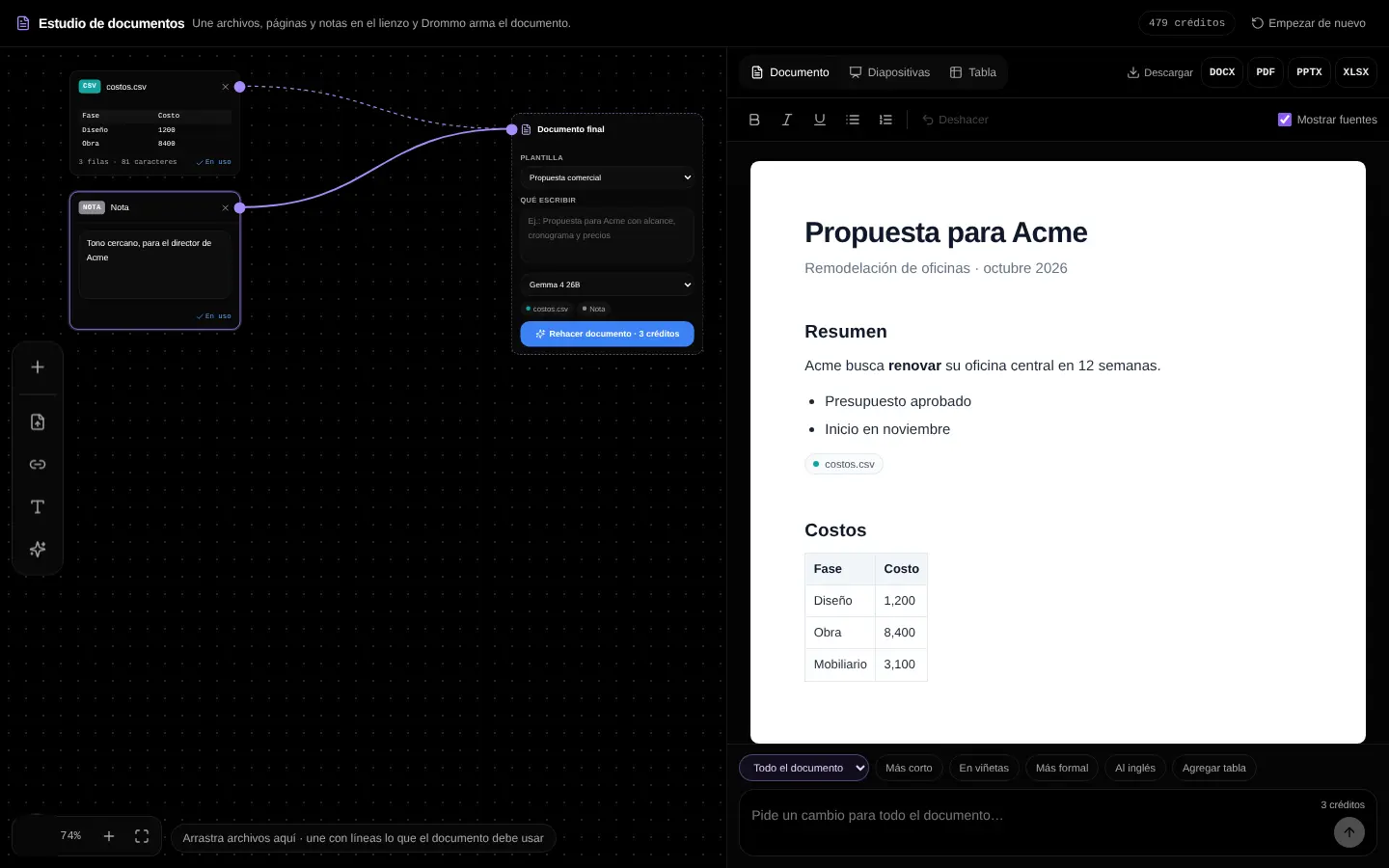
Join each source with a line to "Final document", choose the template (6), say what you need and tap Build document (7).
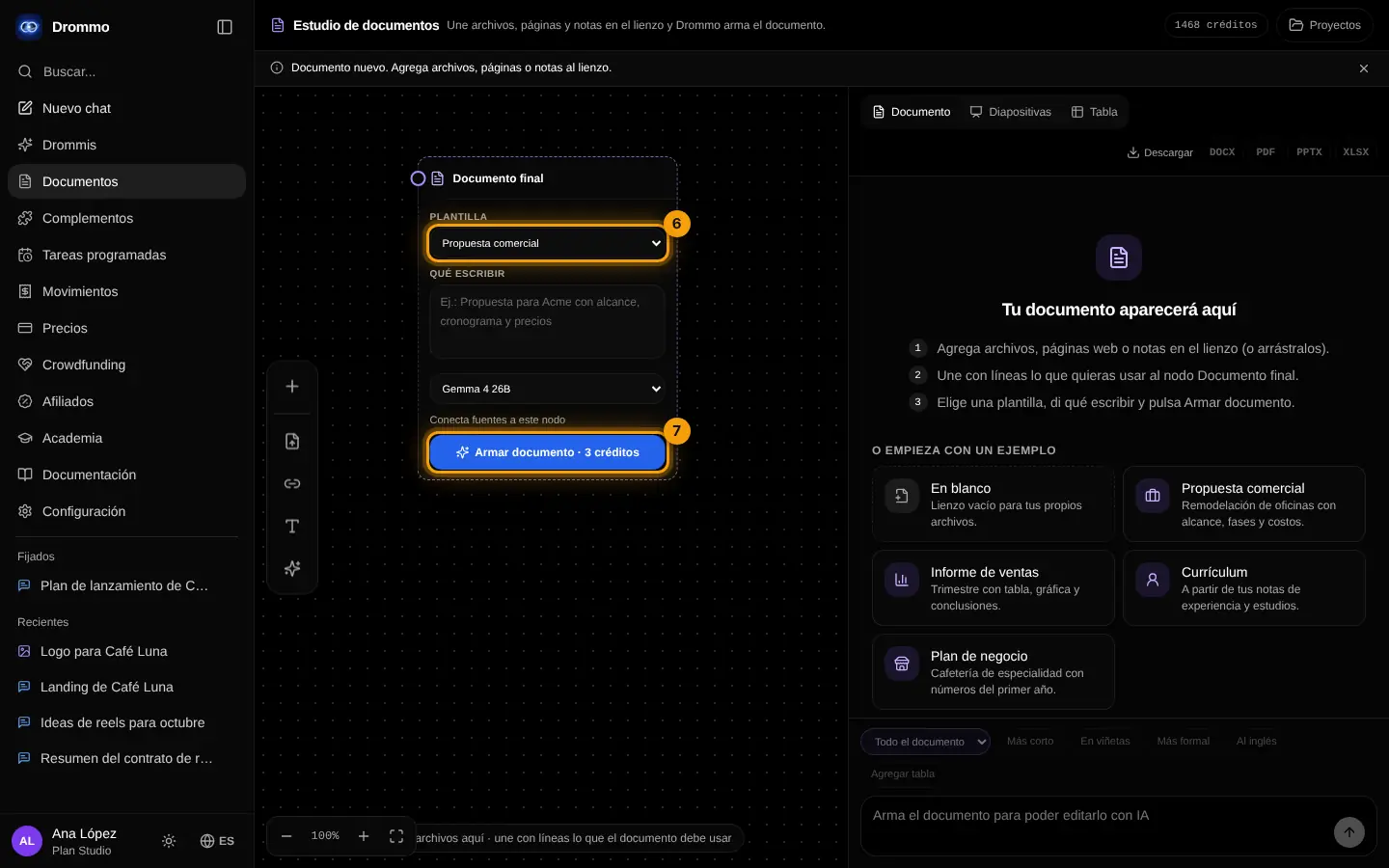
With the client's brief and our price list: write a 2-page proposal with goals, plan in 3 phases, prices and next steps.
Your turn: write your promptDrommo Docs prompt
Write your own version for your case. The Academy coach checks with rules whether it has every part, what is missing and suggests a version to complete. It is instant, not sent to the chat and does not use your plan.
- Kind of document and who reads it
- Which sources to use
- Structure: sections or slides
- Tone, length and what to highlight
If your training permission is on (Settings → Privacy), your prompt and the review may be used, without personal data, to improve Drommo's models.
Challenge: Open the "Sales report" example, change one source and build it again.
Lesson 2 · 5 min
Edit, slides and download
Polish the document and take it to other formats.
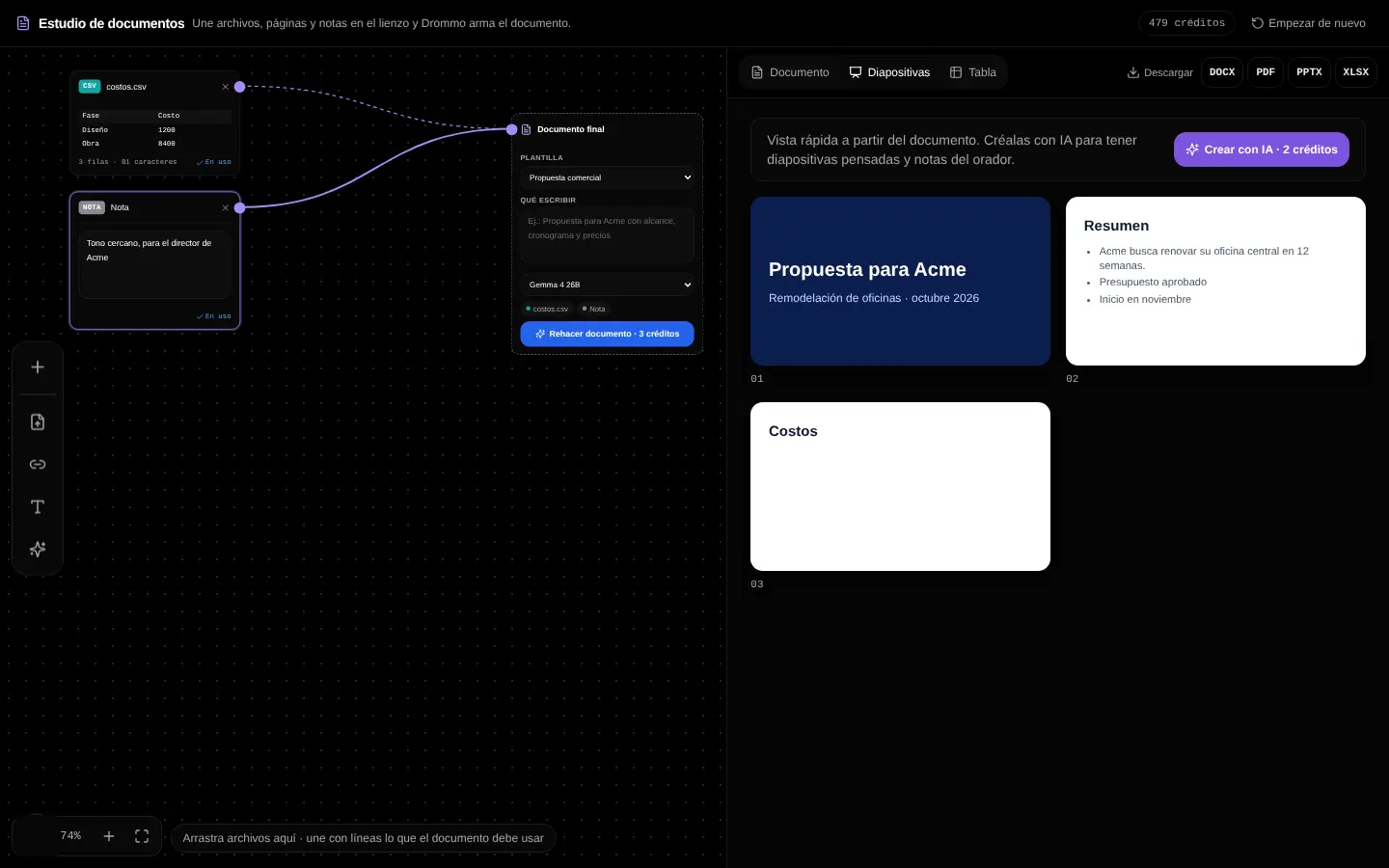
- Edit like a word processor, or ask the AI to rewrite one section ("shorter", "more formal").
- Check the citations to see which source each part comes from.
- Switch to Slides or Table and download DOCX, PDF, PPTX or XLSX.
- Dock the Document panel on the left, on the right or at the bottom, or minimize it to see more of the canvas.
- Save it in your account to continue later; it appears in My projects.
Challenge: Turn your document into 6 slides and download them as PPTX.
Final exam and certificate
Answer the questions. With 80% or more you get your Drommo Academy certificate with your name and the date you finished. You can try as many times as you want.
In the documentation