Documentation menu
Tools
Integrations
Skills and MCP servers that give the chat new instructions and tools.
Skills
A skill is a set of open-source instructions that teaches the chat a way of working: writing a press release, reviewing code, preparing a lesson. The Skills tab has more than 600 free open-source skills sorted by category (writing, design, code quality, cloud, AI and more). Install one and turn on "Use in chat". Up to 3 skills are used per message, and their text counts toward your plan's usage.
MCP servers
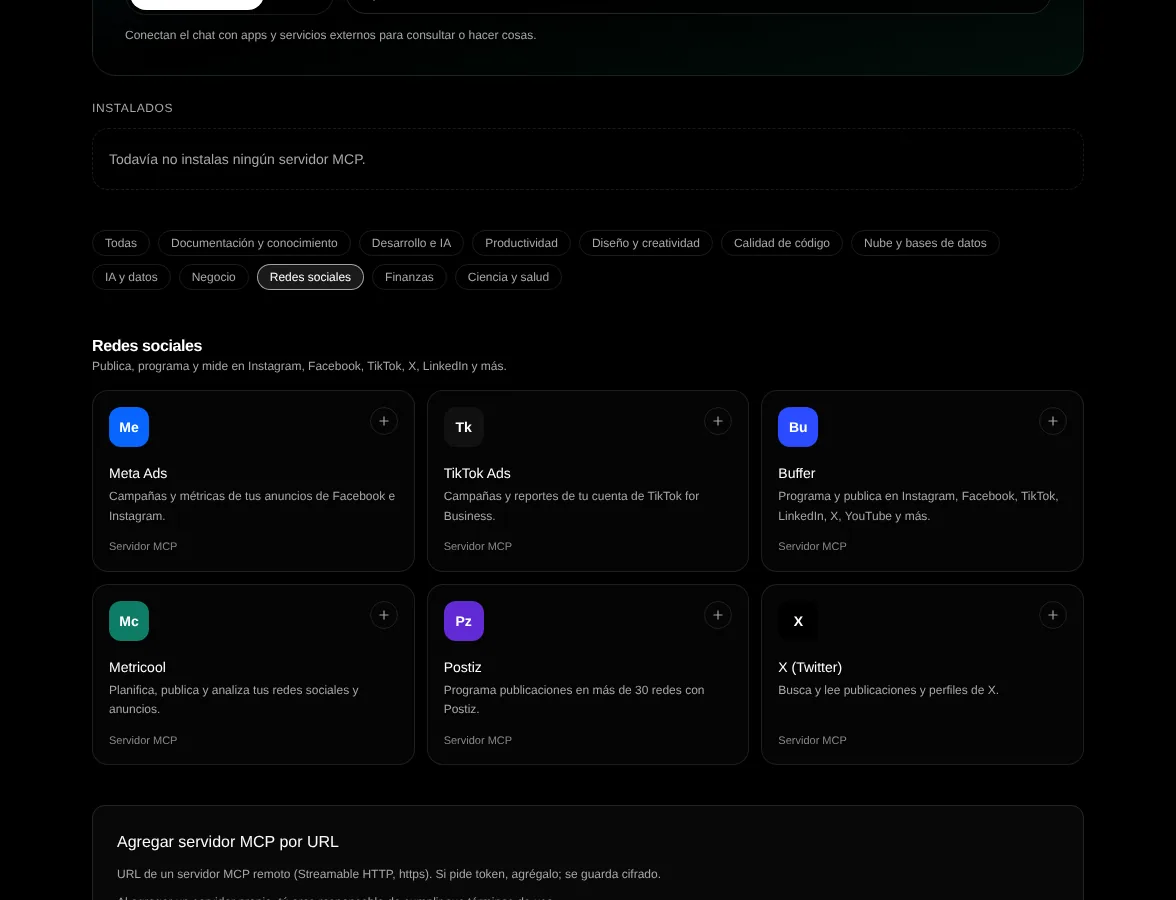
An MCP server, or connector, connects the chat to an external service (documentation, project tools, your social networks, ad accounts, data) so the model can use its tools while answering. Only remote servers (https) are supported, and each person connects their own account or key. Tools work with the GPT-OSS, Gemma 4, Qwen, GLM, Mistral Small and Llama 4 Scout models.
- 1
Open Integrations
From the side menu, MCP servers tab. Filter by category, for example Social networks.
- 2
Connect
Pick a server from the catalog or add your own URL. Many servers use "Connect with your account": you sign in on the provider's page and come back to Drommo, with no key to copy. Others ask you to paste your own API key or token; their card shows the server address with a copy button, a link to the provider's docs and the steps to get the token. Everything is stored encrypted.
- 3
Choose permissions
"Low-risk actions only" (default) offers only read tools; "All actions" offers every tool. You can turn off each tool.
| Category | Servers |
|---|---|
| Documentation | Context7 (your API key), Cloudflare Docs. DeepWiki coming soon. |
| Web search | Exa and Tavily (your API key). |
| Productivity | Notion, Linear, Atlassian (Jira and Confluence), Granola, ClickUp, Calendly, Fireflies: connect with your account. |
| Social networks | Buffer and Postiz (your API key) and Metricool (your account) schedule and publish to Instagram, Facebook, TikTok, LinkedIn, X, YouTube and more. X (your app's token, read only). Meta Ads (your token) and TikTok Ads (your account) for ads. |
| Business: marketing and analytics | Klaviyo, Supermetrics, Amplitude: connect with your account. |
| Development | GitHub (your token), Hugging Face, Neon (read only), Sentry. |
| Design and media | Higgsfield: connect with your account. |
| Business and cloud | Stripe, Cloudflare Observability, Cloudflare Radar: connect with your account. |
Integrations come from third parties. Each connector is governed by its provider's terms, and you are responsible for what you publish, send or change through it. Read each one's legal note before connecting it, and do not share keys that give access to data you do not want the model to see.
Examples
Using the documentation connector, explain how to set up authentication in the latest version of Next.js, with a code example.
Related topics