Documentation menu
Account
Your chats and settings
Organize your chats and adjust Drommo to how you work.
Organize your chats
The side menu shows the main pages down to Pricing, with a line under them. The rest of the pages (Documentation, Settings and more) are in the same menu: scroll inside it to see them. Pinned and Recent each scroll on their own, so a long list of chats never hides the menu. Drag the line under Pricing to give more room to the pages or to your chats; Drommo remembers where you left it.
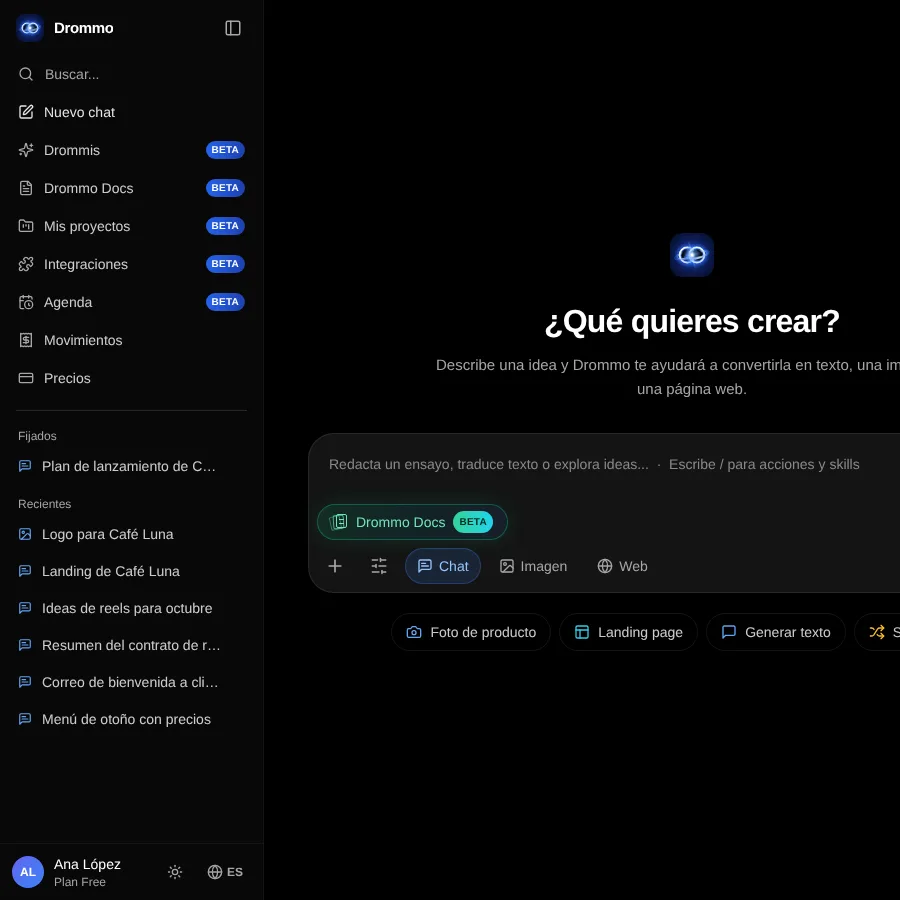
- Search: the box at the top of the side menu finds chats by name.
- Rename: double-click a chat (on mobile, the pencil).
- Pin: keep up to 5 chats at the top under "Pinned".
- Reply and Edit: under each answer, to continue from it or correct your message.
Settings
- Your name and plan: at the bottom of the side menu, next to your picture.
- Language: ES/EN button at the bottom of the side menu.
- Theme: sun and moon button at the bottom of the side menu, for light or dark.
- My plan and purchases: in Settings.
- Parental controls: a guardian approves and sets limits for minors' accounts.
Privacy and model training
Settings → Privacy has the switch "Use my generations to improve models". When it is on, what you write and upload in Drommo (chat, Agenda and the other tools you use), the results and your ratings can be used to train and evaluate Drommo's models after personal data and secrets are removed. The audio of your voice is never kept.
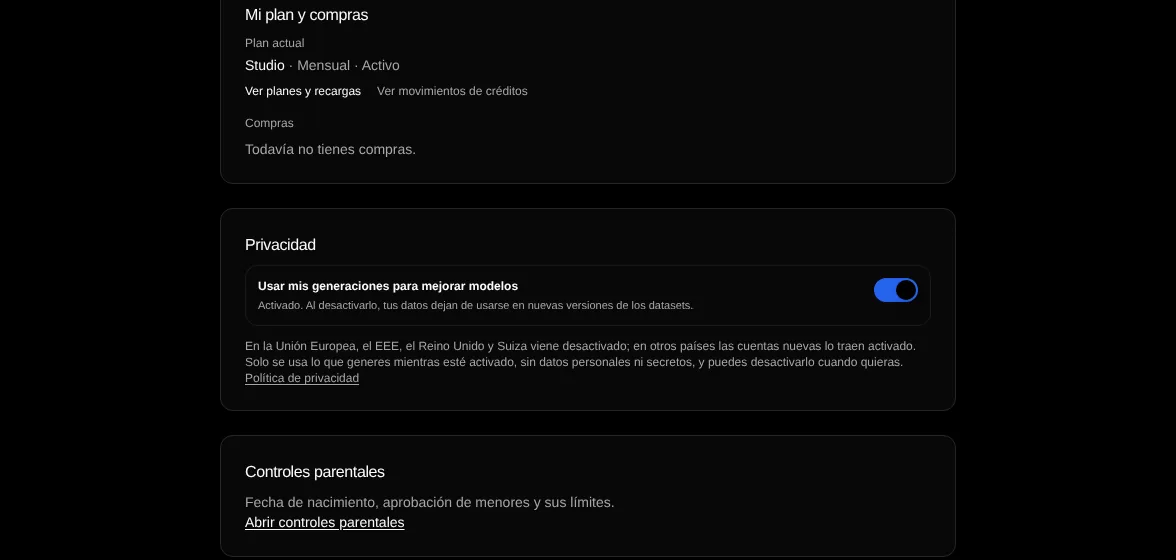
- In the European Union, the European Economic Area, the United Kingdom and Switzerland it starts off and only turns on if you allow it; the Privacy card asks with "Allow".
- In other countries it is on for every account, unless you turned it off; the Privacy card says so and has "Turn off".
- If you turned it off, it stays off until you turn it on again.
- Minors' data is never used for training. Turning it off does not change your plan.
Cookies are separate from this permission: the Cookies notice at the bottom of the page lets you accept or reject analytics, and the Cookie Policy (/cookies, linked in the footer) lists every cookie Drommo uses.
Related topics